






4.8/5 of 53 reviews
4.3/5 of 38 reviews

Mapping Software
for Salesforce


Salesforce captures the data; eSpatial shows you what to do with it

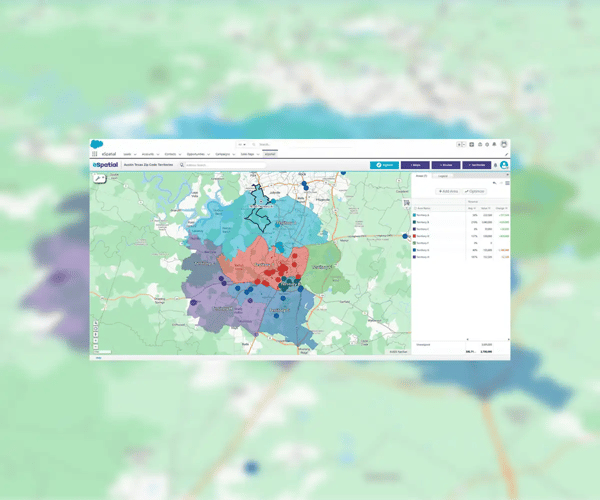
Salesforce territory map with a blurred background

Our Customers Love Mapping With eSpatial

  • RE/MAX logo
  • FedEx logo
  • Volvo logo
  • LG Electronics logo
  • Henkel Corporation logo
  • Continental Tire logo

Static Salesforce lists hide revenue. eSpatial's mapping software turns raw data into interactive maps, exposing trends, gaps, and growth zones instantly.

The impact

  • Plan faster

    See the full picture in seconds

  • Target better

    Focus resources where they count

  • Boost performance

    Empower sales ops and marketing with spatial intelligence

This data is critical to your customer service capabilities and sales process efficiency. However, too often these details are siloed away. Keeping them separate from your mapping solution creates additional steps and more work for your employees.
5 Ways Integration Drives Revenue


Integration turns static lists into a dynamic command center. Stop toggling apps and start closing deals.

The impact

  1. Unified workflow: Access full mapping power directly inside Salesforce. No switching, no friction
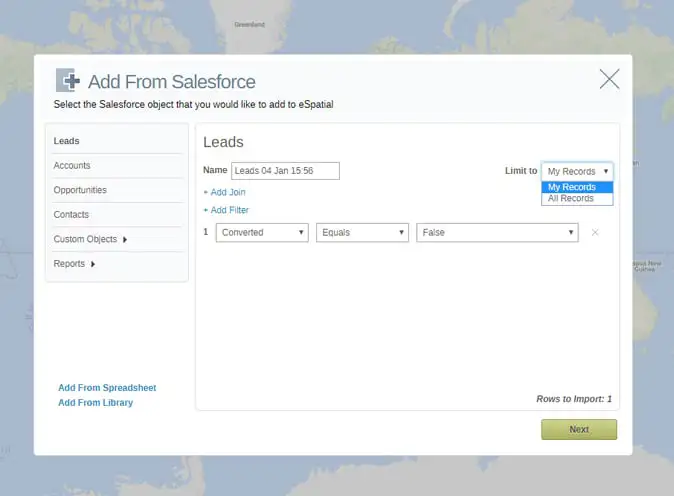
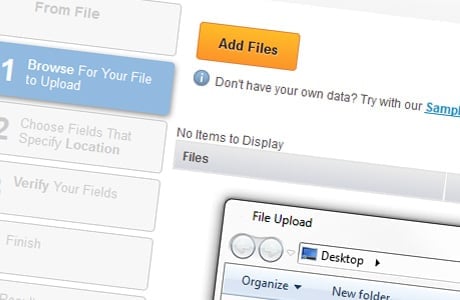
  2. Sync instantly: Layer Salesforce objects (leads, accounts) with external Excel data for a complete, actionable view
  3. Prioritize precision: Interactive maps highlight exactly who needs attention, maximizing field efficiency
  4. Simplify planning: Design balanced territories using real-time CRM data—no spreadsheets required
  5. Elevate service: Deliver faster, smarter support with visual context at your fingertips

The eSpatial Edge


Salesforce Maps is powerful, but eSpatial is agile. We prioritize speed, flexibility, and the ability to share insights outside the walled garden of your CRM.

Why we win

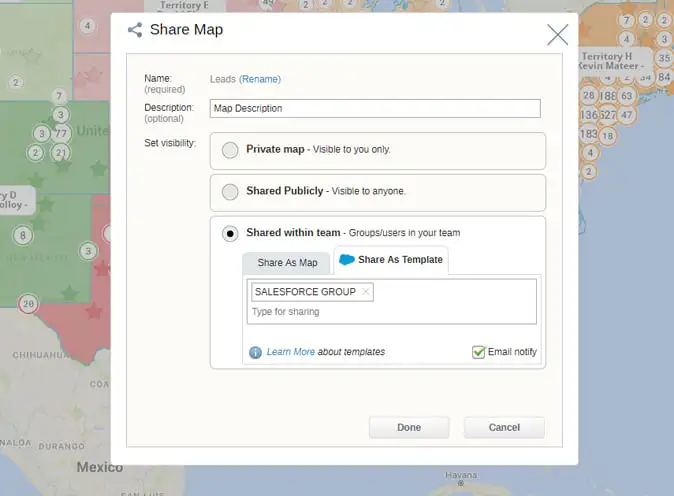
  • Share freely: Send interactive maps via URL to anyone—even non-Salesforce users
  • Blend data: Visualize CRM records alongside external datasets instantly
  • Accelerate planning: Build advanced territories in minutes, not hours
  • Analyze deeper: Run multi-variable heat maps and filters with ease
  • Human support: Rely on a dedicated success team, not a generic help desk. At not extra cost

Using eSpatial in Salesforce


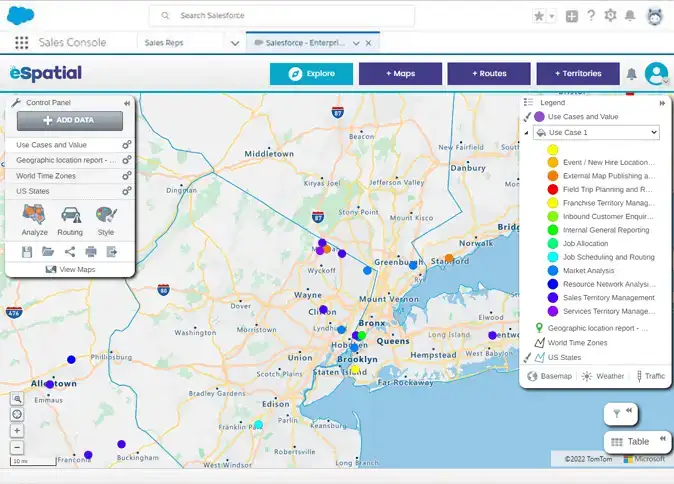
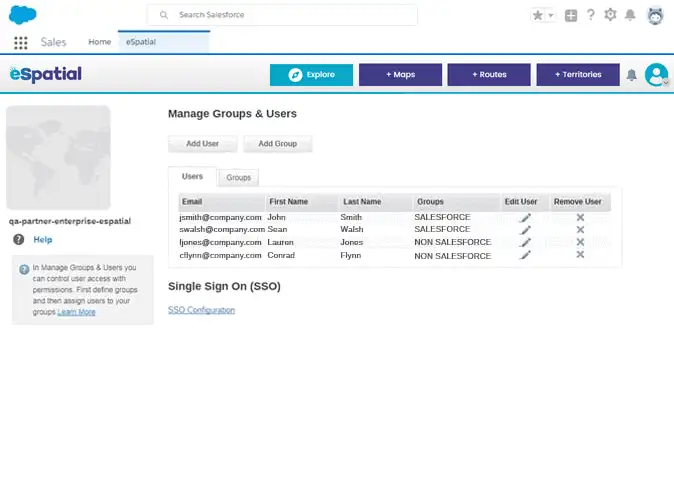
eSpatial lives inside Salesforce. Eliminate data exports and app toggling to make location intelligence a natural part of your daily workflow.

eSpatial Features Include:

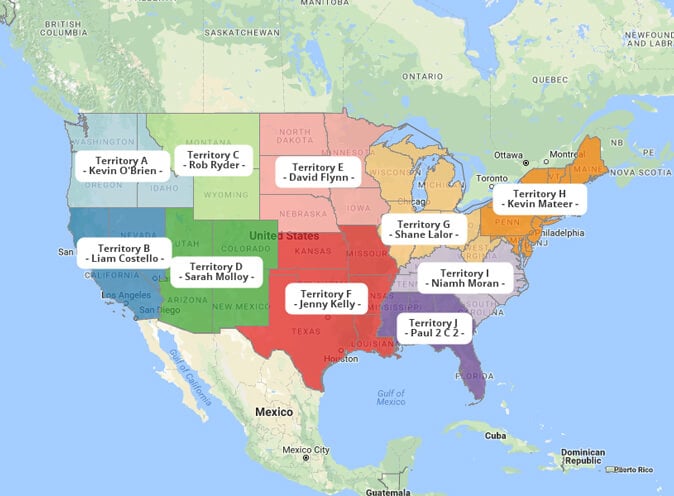
  • Balance Territories: Create and optimize zones using live account data. Push updates directly back to Salesforce hierarchies.
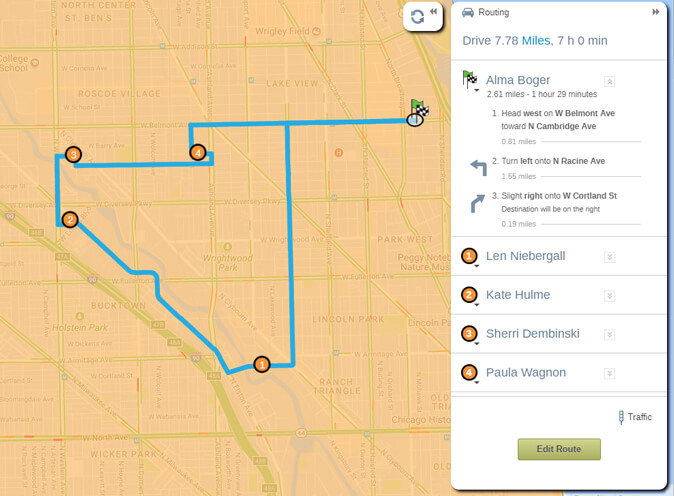
  • Smarter Routing: Plan optimized trips with precise start/stop times. Export schedules to Google Maps instantly.
  • Visualize density Go beyond pins. Use heat, hotspot, bubble, and drive-time maps to spot trends at a glance.
  • Style data: Customize pin sizes, colors, and basemaps to make critical data pop.
  • Share anywhere: Export to PowerPoint and PDF, or publish live interactive maps via URL for seamless collaboration.

Seamless Integration


eSpatial delivers effortless map integration in Salesforce. Install in minutes, sync data automatically, and build maps that drive action. It's built to complement your workflows, not disrupt them.

Go Beyond Salesforce Data


Your Salesforce data tells only half the story. Layer external datasets to uncover market gaps and streamline prospecting instantly.

The data advantage

  • Target with precision: Access 100+ demographic datasets (population, income, housing). Use them to identify growth potential outside your current customer base
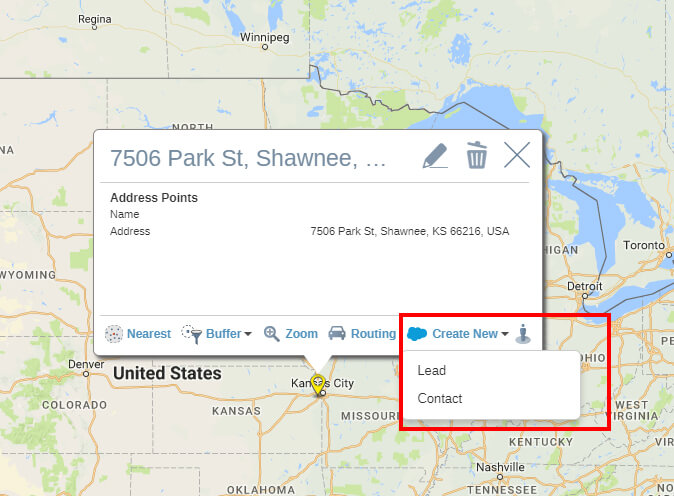
  • Prospect on the fly: Empower field reps with built-in business search. Locate specific brands or business types, then export results directly to Salesforce as new leads

Fast-track Adoption


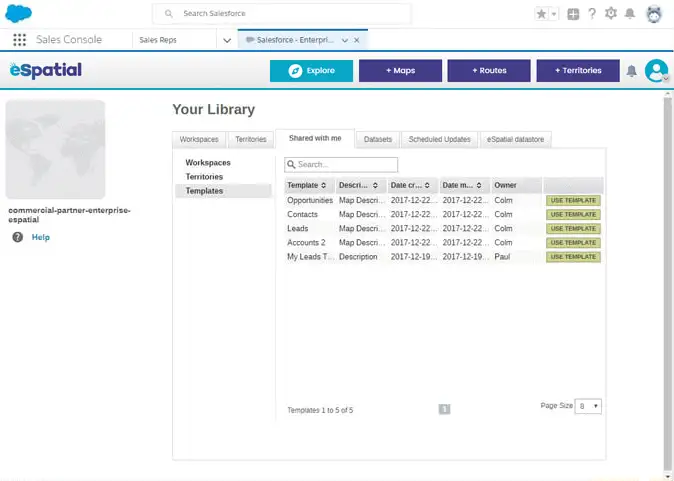
Don't start from scratch. Use pre-built templates for routing and territory planning to get your team mapping instantly.

The workflow

  • Build once: Import your data and customize the base map
  • Brand it: Add logos, colors, and instructions to ensure a professional, consistent look
  • Deploy: Share templates with specific teams or the whole organization in one click
  • Auto-personalize: When users open the template, the map dynamically updates to show their specific accounts and leads—driving immediate relevance

Act From the Map


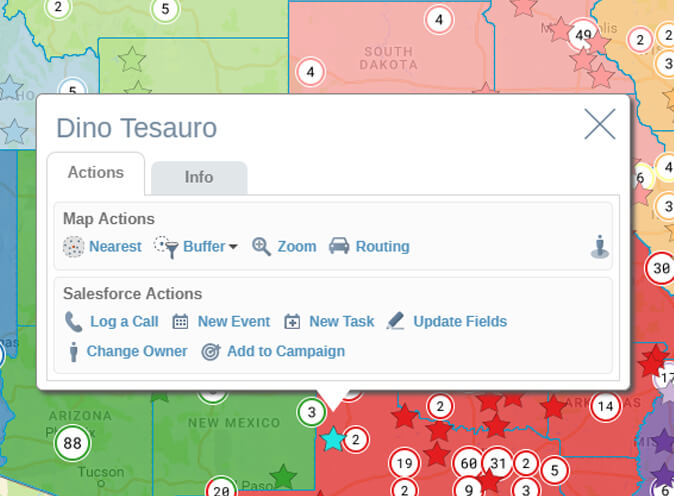
Insight without action is wasted time. eSpatial lets you update Salesforce records directly from your map view—no tab-switching required.

What you can do

  • Log instantly: Record calls, tasks, and events on the fly
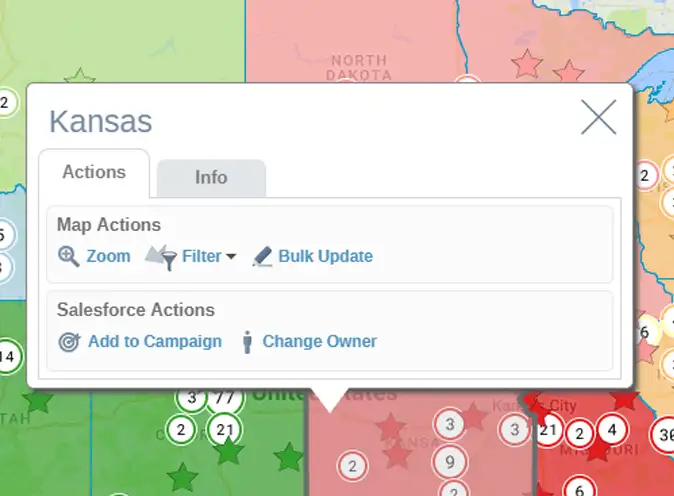
  • Update en masse: Use custom boundaries to reassign multiple records at once
  • Target campaigns: Select contacts by drive time and add them to Salesforce campaigns instantly
  • Prospect live: Turn map points into new leads to expand your database fast

Give Non-Salesforce Users Access to Maps


eSpatial lives inside Salesforce and as a standalone app.

Why it matters: You don't need a Salesforce license to map data. Extend location intelligence to analysts and marketing teams without expanding your CRM seat count.

The flexibility

  • Embedded: Sales reps map daily without leaving the CRM
  • Standalone: Analysts and marketers access full mapping power—no Salesforce login required

Frequently Asked Questions


Can I Update Salesforce Records From Within eSpatial?

Yes. You can update fields, assign tasks, or log activity directly from the map.

Is This a Replacement for Salesforce Maps?

Yes. eSpatial is a more advanced, more flexible Salesforce mapping tool.

What Kinds of Salesforce Data Can I Map?

You can map leads, opportunities, contacts, accounts, or any custom object.

Do I Need a Salesforce License to Use eSpatial?

Only for Salesforce users. Maps can be shared with non-Salesforce users too.

Get Started With eSpatial Today

Whether you're looking to map Salesforce accounts, build balanced territories, or streamline field operations, eSpatial is the answer. Get started today with a free trial or schedule a personalized demo.

Unlock the full power of your CRM with the best mapping tool for Salesforce.

You appear to be offline at the moment, this notice will disappear once your device can connect to the internet again