







To ensure your reps are motivated, you need a strategy for the equal distribution of workload. Operating with unbalanced sales territories generates compounding organizational underperformance across your sales organization:
Our Customers Love Mapping With eSpatial
Why Territory Optimization Matters
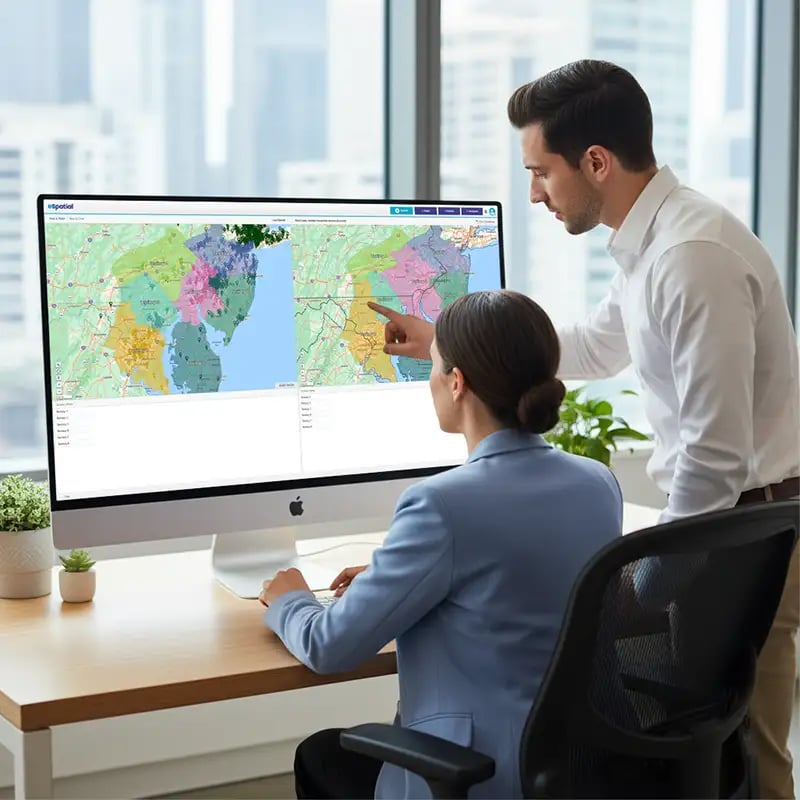
Equal territories are rarely equitable territories. While traditional mapping methods divide patches strictly by geographic boundaries or raw account counts, high-performing revenue organizations recognize that true territory optimization requires balancing actual market potential against representative workload capacity.
A balanced map is more than just equal shapes; it's about equal opportunity. To ensure your reps are motivated, you need a strategy for the equal distribution of workload based on account value and travel time.
This guide provides the framework for Sales Operations leaders and VPs to transform territory structures into engines of equitable quota opportunity, rep retention, and revenue growth.
The Hidden Costs of Unbalanced Territories
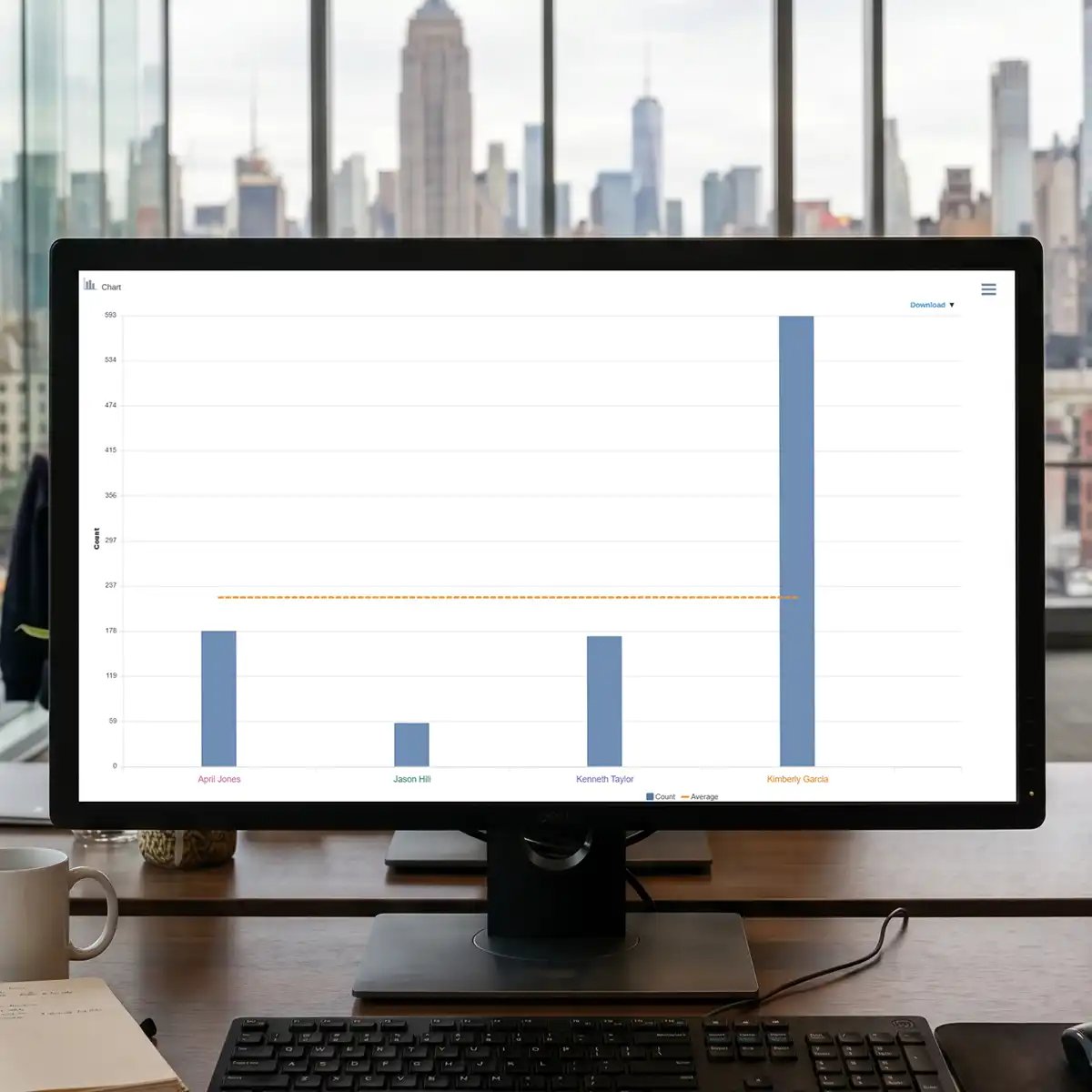
1. Disguised Performance Issues
When territories are too large or geographically dispersed, service levels are impacted. Competitors easily capture market share from these unserviced/under serviced accounts simply because your reps lack the bandwidth to nurture them.

2. Rep Burnout and High Attrition
When a top performer is assigned a territory with unmanageable account density, they inevitably run out of selling hours. Critical deals slip, follow-ups stall, and the rep experiences burnout, leading to high sales turnover that forces Sales Ops into constant hiring and onboarding cycles.
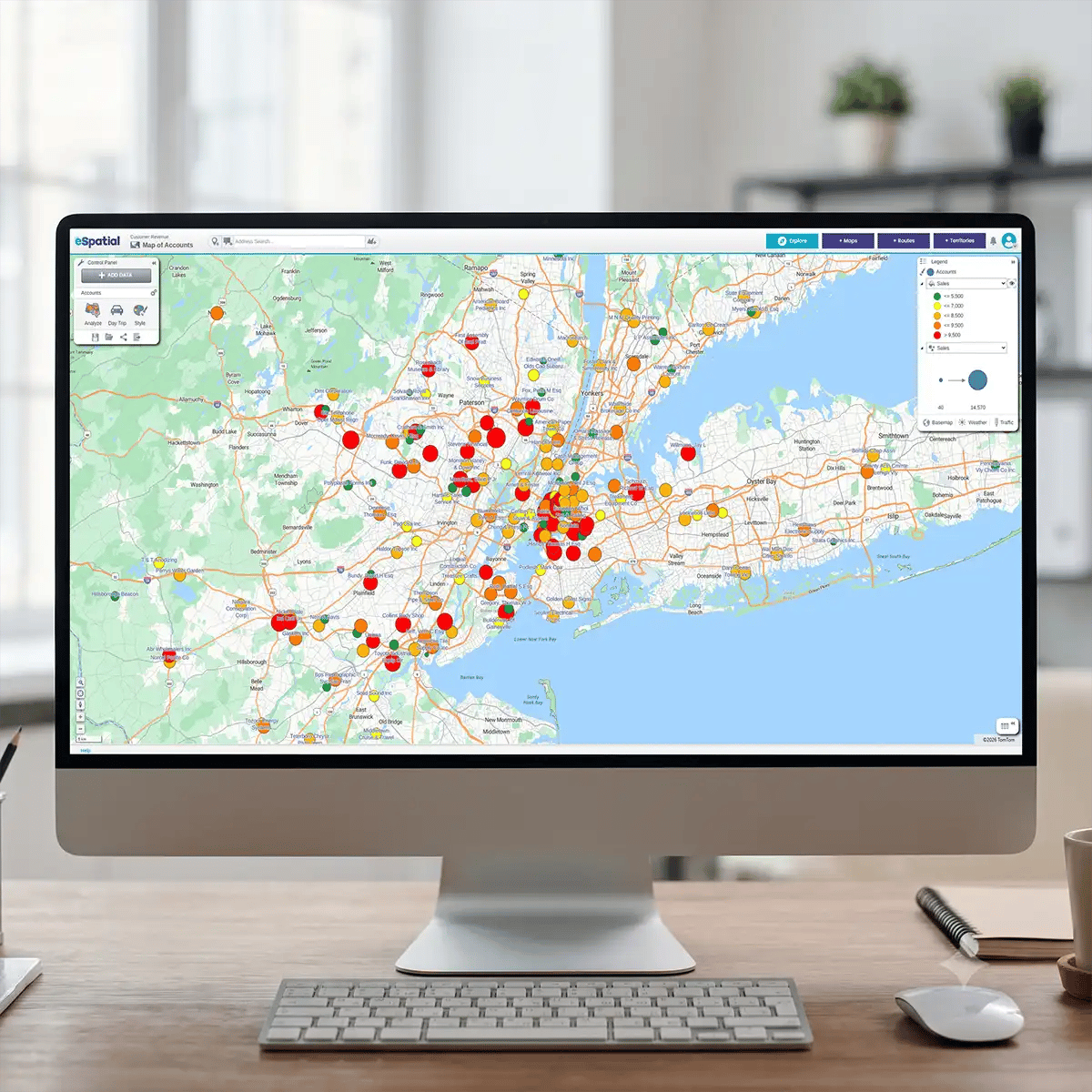
3. Revenue Leakage from Neglected Accounts
When territories are too large or geographically dispersed, service levels are impacted. Competitors easily capture market share from these unserviced/under serviced accounts simply because your reps lack the bandwidth to nurture them.
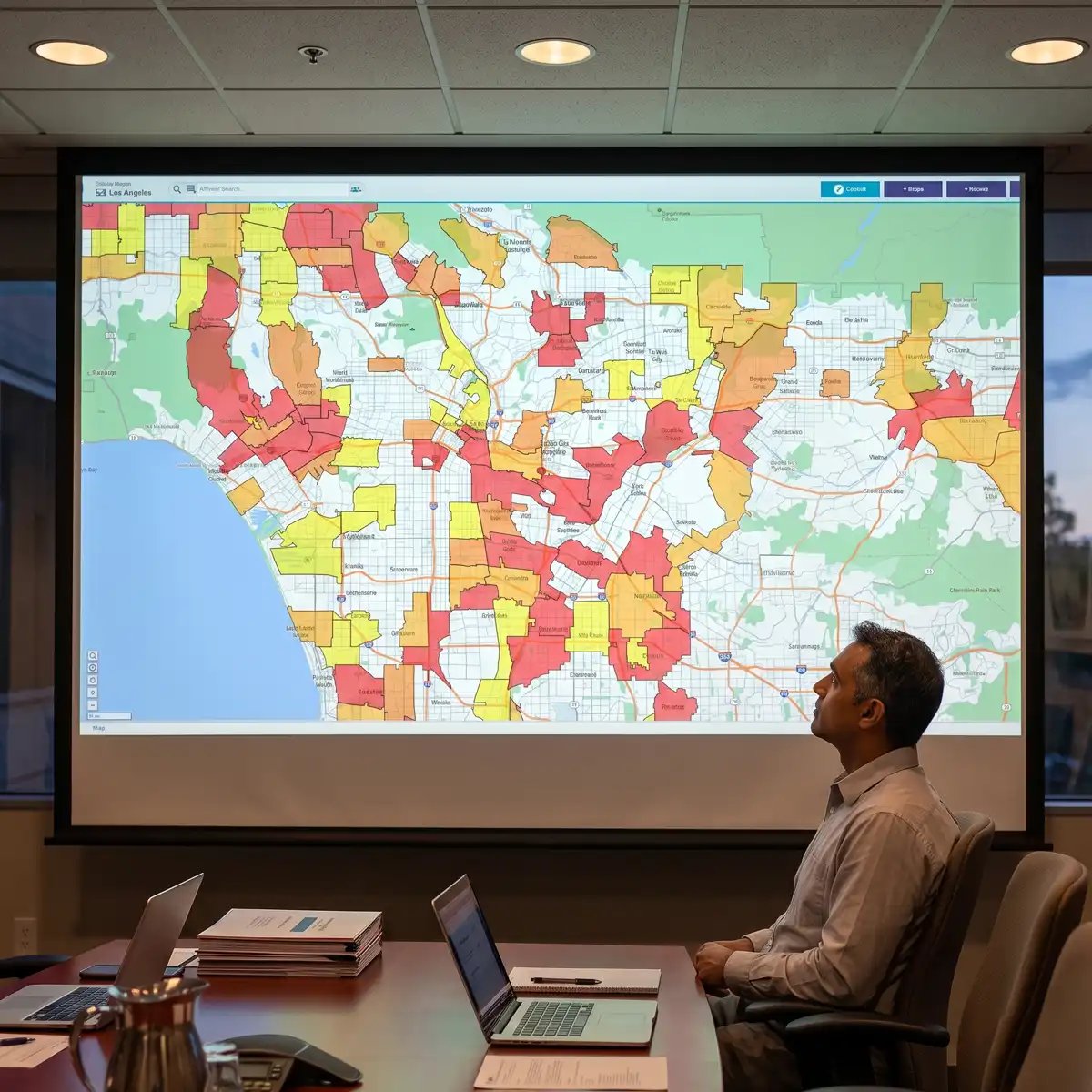
4. Bloated Field Sales Costs
Inefficiencies in territory designs force field reps to spend excessive time on the road. High travel costs combined with lower face-time ratios directly increase your Customer Acquisition Cost (CAC) while dampening overall team productivity.
What Is Sales Territory Optimization?
Sales territory optimization is the strategic process of balancing a sales representative's workload and market potential to ensure they hit quota. It shifts territories from simply being equal in geographic, account or revenue size to being equitable in revenue potential and required travel time. It maximizes total market coverage in minimal time.
By replacing intuition with data-driven territory modeling, revenue leaders eliminate regional over-saturation and under-serviced patches, establishing a baseline where every sales representative has a viable path to quota attainment.
Using Sales Performance Metrics to Optimize Territories

Optimizing boundaries requires evaluating dynamic performance metrics from your CRM rather than static headcount numbers. Incorporate the following core metrics into your territory balancing framework:
- Historical Quota Attainment: Identifies regions that are chronically under-served or over-allocated. Home in on the outliers.
- TAM: Include your estimates of account sales potential to future proof territory growth. Strategically thinking about your account and territory potential and not historic performance unlocks new opportunities for growth.
- Average Deal Cycle Length: Adjust capacity limits for enterprise reps versus transactional reps (this is factored in later when we discuss workload balances).
- Drive-Time vs. Face-Time Ratio: Exposes inefficient travel (dead windshield time) draining rep productivity.
Drive Sustainable Growth with Balanced Territories

Key Takeaway: Transitioning to dynamic workload balancing gives your organization a distinct competitive edge. Building balanced territories isn't a one-off task, it's a continuous operational discipline. When sales operations leaders prioritize optimizing sales territory structures around real-world account potential and rep capacity, every level of the sales hierarchy benefits:
- Sales Representatives: Gain equitable opportunity, realistic workloads, and a clear path to quota attainment
- Sales Managers & Ops: Benefit from accurate forecasting, reduced rep attrition, and clean baseline metrics
- Revenue Leaders: Maximize market coverage while minimizing unproductive travel expenses and customer acquisition costs (CAC)
By pairing visual territory mapping with automated workload balancing, you create a resilient foundation of balanced sales territories ready to scale with your business.
Trusted by Businesses Globally
Join the leaders. Top teams across every industry use location intelligence to turn data into a competitive advantage. Sales: Hunt high-potential leads and balance territories. Operations: Optimise coverage and slash service costs. Marketing: Target high-growth regions and prove ROI.
★★★★★
eSpatial is Awesome
I have been using eSpatial for about a month and find it way more than I expected. Being able to easily utilize the system and visually seeing where incidents occur has helped us utilize resources more efficiently. The Customer Service is excellent.

★★★★☆
eSpatial is a great visual tool for mapping out leads, prospects, and current accounts
I appreciate the visual representation of all of the accounts and being able to connect the accounts with different filters and tools such as heat maps. It is a great organizational tool.
★★★★★
Great tool for creating custom maps and charts
This is a great tool for creating custom heat maps with our data. The CSV import makes it easy to upload and change data, and every point can show different markers. Very helpful for last minute presentations as well!

★★★★☆
Great tool for visualizing territories
We are able to send direct links to end users so they can visualize their areas of responsibility. Making changes to existing territories is very easy.
★★★★★
You must have no doubts, you must try
It is really very functional and effective for situations that require accurate data mapping. I like that I only have a little more than 20 days using it and I already feel like an expert. In addition, I love that I can establish effective data parameters to execute heat maps in a precise and personalized way.
★★★★★
Great Product!
This product is great and super easy to use. This has cut our route design timing in half. The customer service is fantastic!
★★★★★
The support is AMAZING and the tool is simple to use and works well!
The support is amazing. They reply right away every time! I have had two issues that needed resolution within an hour and their support team came through on both times.
★★★★★
Data Visualization Uncovers New Opportunities
The reason we selected and continuously renew our account is the outstanding support we receive each step of the way. eSpatial invests in your success and wants you to be getting the most out of their platform.
★★★★★
eSpatial is a lifesaver!
I have had nothing but success with eSpatial. When previous products were limited in their abilities (map sharing, dynamic maps, etc.).
★★★★☆
Engel & Völkers Americas
At E&V we use this software as a sales tool to show prospects their "territory" first hand. We also are able to create maps using address points to make it easier for our sales team to navigate larger areas of the US to make better use of their time.
★★★☆☆
Easy to use limited in customization
How easy the program is to learn. Easy to import new data.
★★★★☆
Great tool to help our non-profit plan
We appreciate the ability to layer multiple variables at a time.
★★★★★
User Friendly Mapping
I love how easy it was to learn how to map on this software. The set-up was not difficult either and they had a representative reach out personally to help you with your account whether you wanted a phone call or email help.
★★★★★
Great Collaborative platform!
I run a small team that responds to inbound leads with the purpose of qualifying and setting up meetings for our Sales partners. With the higher volume and tight turnaround times we deal with, a collaborative plugin like eSpatial is invaluable.
★★★★★
Bulletproof - Program And People
The program works flawlessly. It's so easy to add data, change the view, isolate territories - total flexibility.
★★★★☆
Excellent Data Visualisation
Ability to customise heat maps and overlay multiple data sets.
★★★★★
Fantastic product and service
This system provides a tremendous insight into our trading locations to allow us to make dynamic decisions. The team and after sales care are in keeping with the systems quality.
★★★★☆
Great program that's simple to use
eSpatial is very user-friendly, allowing us to spend little time implementing and training how to use the software. When we had issues, their excellent customer service was quick to respond.
★★★★★
Most User Friendly Mapping Tool & White Glove Customer Service!
Constant tool enhancements, extremely helpful & quick customer support, user friendly / great UI, easy to upload data, territory balancing option quick to learn / no implementation needed.
★★★★★
eSpatial is Awesome
I have been using eSpatial for about a month and find it way more than I expected. Being able to easily utilize the system and visually seeing where incidents occur has helped us utilize resources more efficiently. The Customer Service is excellent.
★★★★☆
eSpatial is a great visual tool for mapping out leads, prospects, and current accounts
I appreciate the visual representation of all of the accounts and being able to connect the accounts with different filters and tools such as heat maps. It is a great organizational tool.
★★★★★
Great tool for creating custom maps and charts
This is a great tool for creating custom heat maps with our data. The CSV import makes it easy to upload and change data, and every point can show different markers. Very helpful for last minute presentations as well!
★★★★☆
Great tool for visualizing territories
We are able to send direct links to end users so they can visualize their areas of responsibility. Making changes to existing territories is very easy.
★★★★★
You must have no doubts, you must try
It is really very functional and effective for situations that require accurate data mapping. I love that I can establish effective data parameters to execute heat maps in a precise and personalized way.
★★★★★
Great Product!
This product is great and super easy to use. This has cut our route design timing in half. The customer service is fantastic!
★★★★★
The support is AMAZING and the tool is simple to use and works well!
The support is amazing. They reply right away every time! I have had two issues that needed resolution within an hour and their support team came through on both times.
★★★★★
Data Visualization Uncovers New Opportunities
The reason we selected and continuously renew our account is the outstanding support we receive each step of the way. eSpatial invests in your success and wants you to be getting the most out of their platform.
★★★★★
eSpatial is a lifesaver!
eSpatial has set out to crush it from day one. Any improvement that I've suggested has eventually been implemented, and the customer service/support is TOP NOTCH.
★★★★☆
Engel & Völkers Americas
At E&V we use this software as a sales tool to show prospects their "territory" first hand. We also are able to create maps using address points to make it easier for our sales team to navigate larger areas of the US to make better use of their time.
★★★☆☆
Easy to use limited in customization
How easy the program is to learn. Easy to import new data.
★★★★☆
Great tool to help our non-profit plan
We appreciate the ability to layer multiple variables at a time.
★★★★★
User Friendly Mapping
I love how easy it was to learn how to map on this software. The set-up was not difficult either and they had a representative reach out personally to help you with your account whether you wanted a phone call or email help.
★★★★★
Great Collaborative platform!
I run a small team that responds to inbound leads with the purpose of qualifying and setting up meetings for our Sales partners. With the higher volume and tight turnaround times we deal with, a collaborative plugin like eSpatial is invaluable.
★★★★★
Bulletproof - Program And People
The program works flawlessly. It's so easy to add data, change the view, isolate territories - total flexibility.
★★★★☆
Excellent Data Visualisation
Ability to customise heat maps and overlay multiple data sets.
★★★★★
Fantastic product and service
This system provides a tremendous insight into our trading locations to allow us to make dynamic decisions. The team and after sales care are in keeping with the systems quality.
★★★★☆
Great program that's simple to use
eSpatial is very user-friendly, allowing us to spend little time implementing and training how to use the software. When we had issues, their excellent customer service was quick to respond.
★★★★★
Most User Friendly Mapping Tool & White Glove Customer Service!
Constant tool enhancements, extremely helpful & quick customer support, user friendly / great UI, easy to upload data, territory balancing option quick to learn / no implementation needed.
★★★★★
eSpatial is a very easy to use mapping tool for various business needs
Easy to upload data and format maps. Heat maps give us a quick view of our business and the radius and filters help us make business decisions.
★★★★★
eSpatial has been a great partner and their platform helps us in many aspects of sales planning
A great onboarding/training program helps hit the ground running. The dedicated success team is quick to respond, takes feedback, and continues to check in on our needs.
★★★★★
eSpatial is easy to use, maps are visually appealing, and the customer support is fantastic
Any time I have had a question or concern, the support team has responded very quickly and addressed all of my needs with the software.
★★★★☆
Great integration options & helpful support team
The ability to route at a postal code level and layer it among other data.
★★★★★
Wonderful application!
The ease of use and system functionality allow you to generate customized maps.
★★★★☆
Easy to use mapping and territory creator for logistics company
eSpatial is extremely easy to use when it comes to creating maps or territories. We utilize this to keep up with and modify the areas in which we service our customers.
★★★★★
Very Easy and Intuitive
I like the ability to be able to easily plan my routes for my sales calls. It helps me make the most of the time I have and the miles I drive, and allows me to hit my goals more easily than if I were just flying by the seat of my pants.
★★★★★
Great Customer Support
The customer support is fantastic. I wish that every company serviced their customers like eSpatial.
★★★★★
Advancing Your Business Development and Growth
I like best about eSpatial is the ease of the tool and support from the eSpatial team.
★★★☆☆
Use eSpatial for simple policy mapping
Updates to maps in my eSpatial account automatically sync to the webpages where I have them linked.
★★★★★
Mapping
The ability to slice a data set into different maps and share them with non-licensed users.
★★★★☆
Good Mapping System for Corporate Customers
I like the user interface and how you can manipulate the layers and appearances of the maps.
★★★★★
Great Out of The Box UI and Fantastic Customer Support
Easy to map and design territories; clean UI.
★★★★★
Great product
Excellent reaction time, accuracy, customer service.
★★★★★
eSpatial Was Definitely the Right Choice for my Company
User-friendly, powerful, visually attractive, accurate, with robust data integration.
★★★★★
Amazing Product. Otherwordly Support
I use eSpatial to plot sales by zip codes for retailers and their competitors. The mapping helps me to better focus digital advertising, decide y/n on cable zones, and to measure effectiveness of changes in media plans. Clients love it, because . . . well, the map has life. A spreadsheet does not.
★★★★☆
There was a change in the website design but I preferred the old one
Something that is good about eSpatial is for planning proximity purposes, it is a good tool.
★★★★★
A Great Tool for Mapping Customers and for Marketing
The ease of use. The platform makes uploading data and mapping extremely easy. This is not limited to just customer data.
★★★★★
Strategic Mapping of College Sports Fans
Visualizing the data through heat maps or radius maps allows me to tell a positive story that is easy to comprehend.
★★★★★
eSpatial is a very easy to use mapping tool for various business needs
Easy to upload data and format maps. Heat maps give us a quick view of our business and the radius and filters help us make business decisions.
★★★★★
eSpatial has been a great partner and their platform helps us in many aspects of sales planning
A great onboarding/training program helps hit the ground running. The dedicated success team is quick to respond, takes feedback, and continues to check in on our needs.
★★★★★
eSpatial is easy to use, maps are visually appealing, and the customer support is fantastic
Any time I have had a question or concern, the support team has responded very quickly and addressed all of my needs with the software.
★★★★☆
Great integration options & helpful support team
The ability to route at a postal code level and layer it among other data.
★★★★★
Wonderful application!
The ease of use and system functionality allow you to generate customized maps.
★★★★☆
Easy to use mapping and territory creator for logistics company
eSpatial is extremely easy to use when it comes to creating maps or territories. We utilize this to keep up with and modify the areas in which we service our customers.
★★★★★
Very Easy and Intuitive
I like the ability to be able to easily plan my routes for my sales calls. It helps me make the most of the time I have and the miles I drive, and allows me to hit my goals more easily than if I were just flying by the seat of my pants.
★★★★★
Great Customer Support
They ask the right questions to get an understanding of what you need to accomplish with the software. Their overall knowledge of the practical way to use the software of the software is phenomenal.
★★★★★
Advancing Your Business Development and Growth
I like best about eSpatial is the ease of the tool and support from the eSpatial team.
★★★☆☆
Use eSpatial for simple policy mapping
Updates to maps in my eSpatial account automatically sync to the webpages where I have them linked.
★★★★★
Mapping
The ability to slice a data set into different maps and share them with non-licensed users.
★★★★☆
Good Mapping System for Corporate Customers
I like the user interface and how you can manipulate the layers and appearances of the maps.
★★★★★
Great Out of The Box UI and Fantastic Customer Support
Easy to map and design territories; clean UI.
★★★★★
Great product
Excellent reaction time, accuracy, customer service.
★★★★★
eSpatial Was Definitely the Right Choice for my Company
User-friendly, powerful, visually attractive, accurate, with robust data integration.
★★★★★
Amazing Product. Otherwordly Support
I use eSpatial to plot sales by zip codes for retailers and their competitors. The mapping helps me to better focus digital advertising, decide y/n on cable zones, and to measure effectiveness of changes in media plans. Clients love it, because . . . well, the map has life. A spreadsheet does not.
★★★★☆
There was a change in the website design but I preferred the old one
Something that is good about eSpatial is for planning proximity purposes, it is a good tool.
★★★★★
A Great Tool for Mapping Customers and for Marketing
The ease of use. The platform makes uploading data and mapping extremely easy. This is not limited to just customer data.
★★★★★
Strategic Mapping of College Sports Fans
Visualizing the data through heat maps or radius maps allows me to tell a positive story that is easy to comprehend.
Territory Mapping Solutions
-
 Sales Territory Design
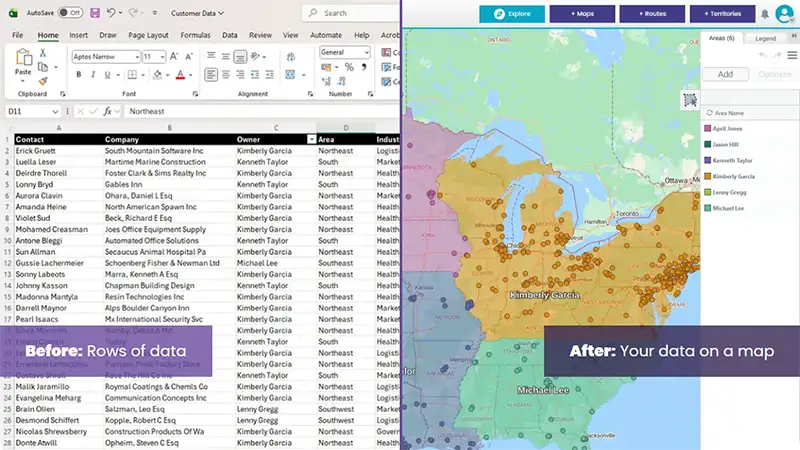
Move beyond basic boundaries. Use data-driven insights to build geographic, account-based, or hybrid models that align your sales team with maximum market potential. Turn territory design into a competitive advantage that boosts revenue and rep retention.
-
 Growth & Realignment
Markets evolve, your maps should too. Master active territory management by responding to personnel shifts and performance outliers in real-time. Protect your revenue from "territory drift" and scale your footprint with agile, data-backed realignment.