







4.8/5 of 53 reviews
4.3/5 of 38 reviews

Mastering Active Territory Growth & Realignment


Move from static planning to dynamic execution. Adapt coverage in real-time to protect revenue and keep your sales team agile.

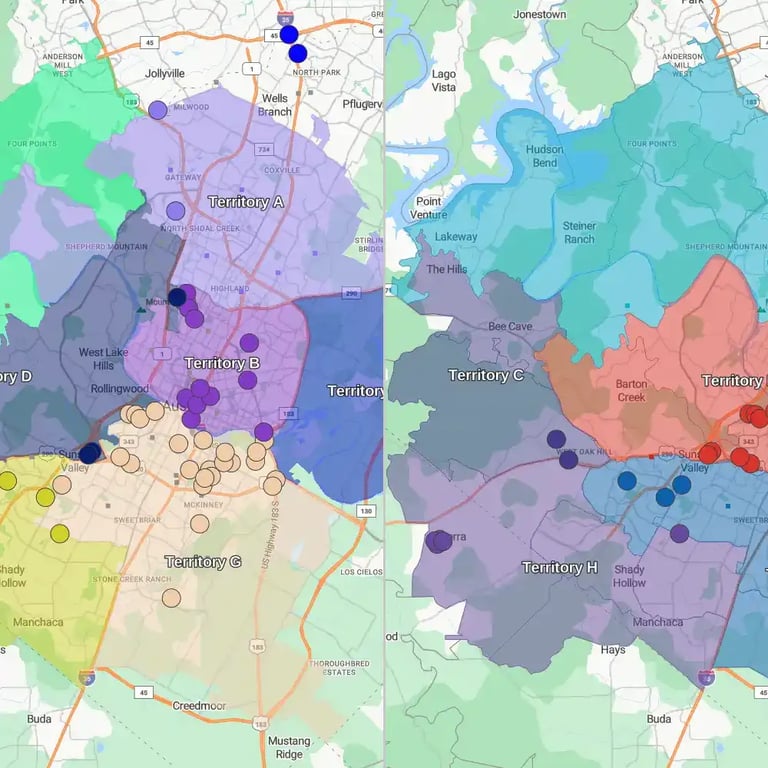
The same territory map updated in real time
Same Map. Same Data. Any Device.

Our Customers Love Mapping With eSpatial

  • RE/MAX logo
  • FedEx logo
  • Volvo logo
  • LG Electronics logo
  • Henkel Corporation logo
  • Continental Tire logo

Every year, sales operations leaders spend weeks crafting what looks like the perfect territory plan. Quotas are balanced on paper, accounts are cleanly divided, and reps are assigned their areas.

But for many organizations by the end of Q1, the physical reality on the ground has already changed: a top performer resigns, a major enterprise account doubles its footprint, there’s a new product launch, or leadership demands an immediate pivot into a new vertical.

The High Cost of the "Set It and Forget It" Trap


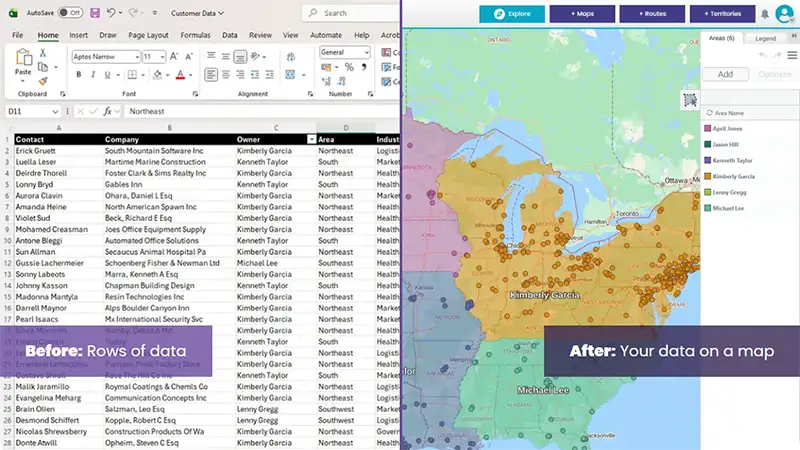
Person reviewing spreadsheet on their computer

Treating territory management as a static, annual "set-it-and-forget-it" exercise is a trap. It leads to unachievable quotas, rep burn-out, commission friction, and severe revenue leakage. But understandably many sales ops teams dread realignments as they cause so much disruption.

To build a high-velocity sales organization, you must treat your map as a dynamic, living asset. This guide provides the operational blueprint for executing continuous, mid-year territory realignments without disrupting ongoing deals, breaking lead routing, or tanking sales team morale. And let’s not forget HR.

Why It Matters

Failing to adapt creates "Territory Drift", leading to three major risks

What is Sales Territory Alignment?


Sales territory alignment is the operational discipline of adjusting geographic boundaries and account ownership to reflect live market shifts. Understanding how to align sales territories effectively prevents revenue leakage. Unlike annual territory design, active alignment is an ongoing strategy that responds to personnel changes, performance outliers, and strategic pivots (like a new competitor product launch) to protect revenue and maintain equitable rep workloads.

While foundational territory design establishes your initial go-to-market structure, continuous territory alignment is the administrative engine that keeps your sales capacity balanced throughout the year. That matters if your goal is to maximize revenue and minimize costs. When market dynamics shift, spreadsheets force Revenue Operations into reactive fire drills. Modern sales territory alignment leverages real-time visual territory mapping software to execute precise, algorithmic updates—ensuring that account density matches rep capacity without triggering internal friction.

When Should You Execute a Territory Realignment?


You should execute a territory realignment whenever specific trigger events disrupt your sales capacity. The three primary triggers for a mid-year realignment are personnel shifts (like a rep resigning), performance outliers (a rep reaching 150% capacity), or a strategic corporate pivot requiring focus on a new industry vertical or product.

Instead of subjecting your sales organization to massive, disruptive annual overhauls, RevOps leaders should run light quarterly health checks and execute targeted realignments based on three specific operational triggers:

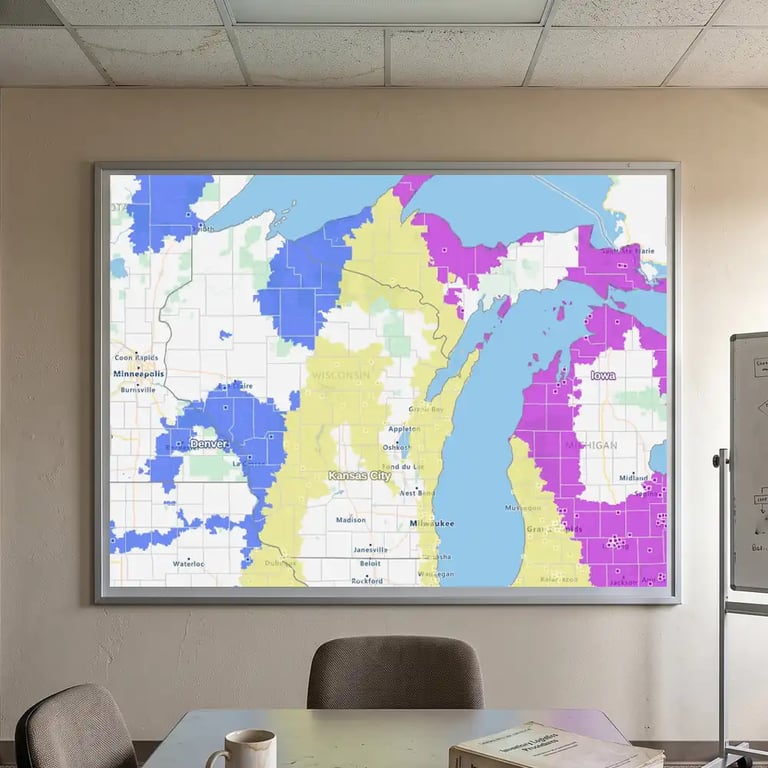
Territory gap analysis on a projector screen

Personnel Shifts & Rep Turnover

Field turnover is inevitable. When a representative resigns, onboarding a replacement takes months. Leaving an enterprise patch unserviced, or forcing neighboring reps to informally cherry-pick accounts, leads to neglected prospects and broken customer relationships. Realignment allows you to cleanly redistribute orphaned accounts or re-carve temporary patches to protect active pipelines.

Tip: If your "What-If" scenario shows a gap that requires a new hire, selecting a sales rep's ideal location becomes critical to minimizing travel costs and maximizing coverage.

Territory alignment comparison

Strategic Corporate Pivots

When leadership directs the sales force to target a new vertical market (e.g., expanding into Healthcare or Financial Services) or shift focus toward enterprise account tiers, existing geographic boundaries quickly break down.

Realignment allows you to overlay specialized vertical patches or strategic account teams directly onto your existing coverage model (using a hybrid territory design model).

If your realignment requires a completely new structural framework or a ground-up market overhaul, start with our foundational Sales Territory Design hub.

Territory balancing chart

Performance Outliers & Capacity Constraints

When a high-performing Account Executive reaches 150% capacity, their territory becomes a bottleneck (it is a recurring challenge as reps inherit perfect hyper-growth customers). They naturally focus on short-term closing opportunities while ignoring lower-tier accounts that still contain substantial addressable revenue.

Realignment enables RevOps to carve out the bottom 20% of neglected accounts from an over-capacity rep and reassign them to a ramping rep who has available bandwidth. To learn how to calculate your baseline capacity metrics and workload ratios before adjusting boundaries, see our Optimization & Balancing guide.

Tactical Frameworks for Frictionless Realignment


The biggest barrier to mid-year territory updates isn't the data—it's the human friction. When account ownership shifts mid-quarter, sales representatives fear losing commission payouts on deals they’ve cultivated, leading to pipeline hoarding, defensiveness, and internal commission battles. To neutralize political negotiations and maintain team trust, RevOps you can enforce these two standardized operational frameworks:

The 90-Day Transition Split Rule

When transitioning active enterprise accounts mid-year, reps may hide late-stage deals or delay logging CRM activity out of fear of losing compensation. The 90-Day Transition Split Rule eliminates this anxiety by creating a financially aligned handoff schedule that rewards outgoing reps for thorough context sharing while incentivizing incoming reps to drive closing velocity.

The 4-Step Active Alignment Workflow


Executing a continuous territory alignment model requires a structured operational cadence. Using visual territory mapping platforms like eSpatial, RevOps can transform weeks of spreadsheet formatting into a rapid four-step loop:

1
Step 1

Monitor

Track live rep capacity, quota attainment variance, and account density metrics monthly to identify emerging workload imbalances before they impact quarterly revenue. Home in on the extreme outliers. Ready to build? Use our sales territory plan: a step-by-step guide to move from the monitoring phase into a fully documented strategy.

2
Step 2

Model

Upload live CRM data into a visual mapping engine to run dynamic "what-if" scenarios. Test boundary adjustments, shift ZIP codes, and rebalance account loads mathematically without altering live production data.

3
Step 3

Validate

Conduct structured, 30-minute alignment reviews with regional managers. Display the shared visual territory map to demonstrate workload equity, address edge-case exceptions, and secure rapid consensus.

4
Step 4

Execute

Push approved territory boundaries directly back into your CRM and lead routing engines to update ownership rules, reassignment tasks, and compensation structures instantly.

The Dispute Resolution Matrix


Territory realignments frequently create edge-case overlaps where geographic boundaries clash with vertical overlays or corporate account structures. Allowing executive "gut feel" or manager loudness to dictate dispute outcomes creates resentment. RevOps must automate dispute resolution by embedding pre-defined Rules of Engagement (RoE) directly into your Incentive Compensation Management (ICM) workflows:

Edge Case Scenario

The Traditional Conflict

Pre-Defined Rule of Engagement

The Parent-Subsidiary Split Corporate HQ is in Rep A's geographic patch, but the purchasing subsidiary is in Rep B's patch. The Influence-Execution Split Rule: 70% commission credit goes to the rep driving the local subsidiary contract (Rep B); 30% goes to the global account manager (Rep A) for executive air cover.
Overlay Specialist Overlap A core AE owns the account, but a technical overlay specialist is brought in to close the deal. The Dual-Track Cap Rule: The core AE receives gross contract value toward quota attainment. The overlay specialist receives credit capped at 100% of their quarterly specialist limit. No manual overrides allowed.
Inbound vs. Outbound Boundary Friction An inbound lead originates in Rep A's geographic territory, but Rep B logged outbound prospecting activity. The Outreach Priority Rule: If Rep B documented active, verified outbound engagement in the CRM within the last 30 days, Rep B owns the deal; otherwise, it routes automatically to Rep A.

Transforming Realignment Into a Strategic Engine


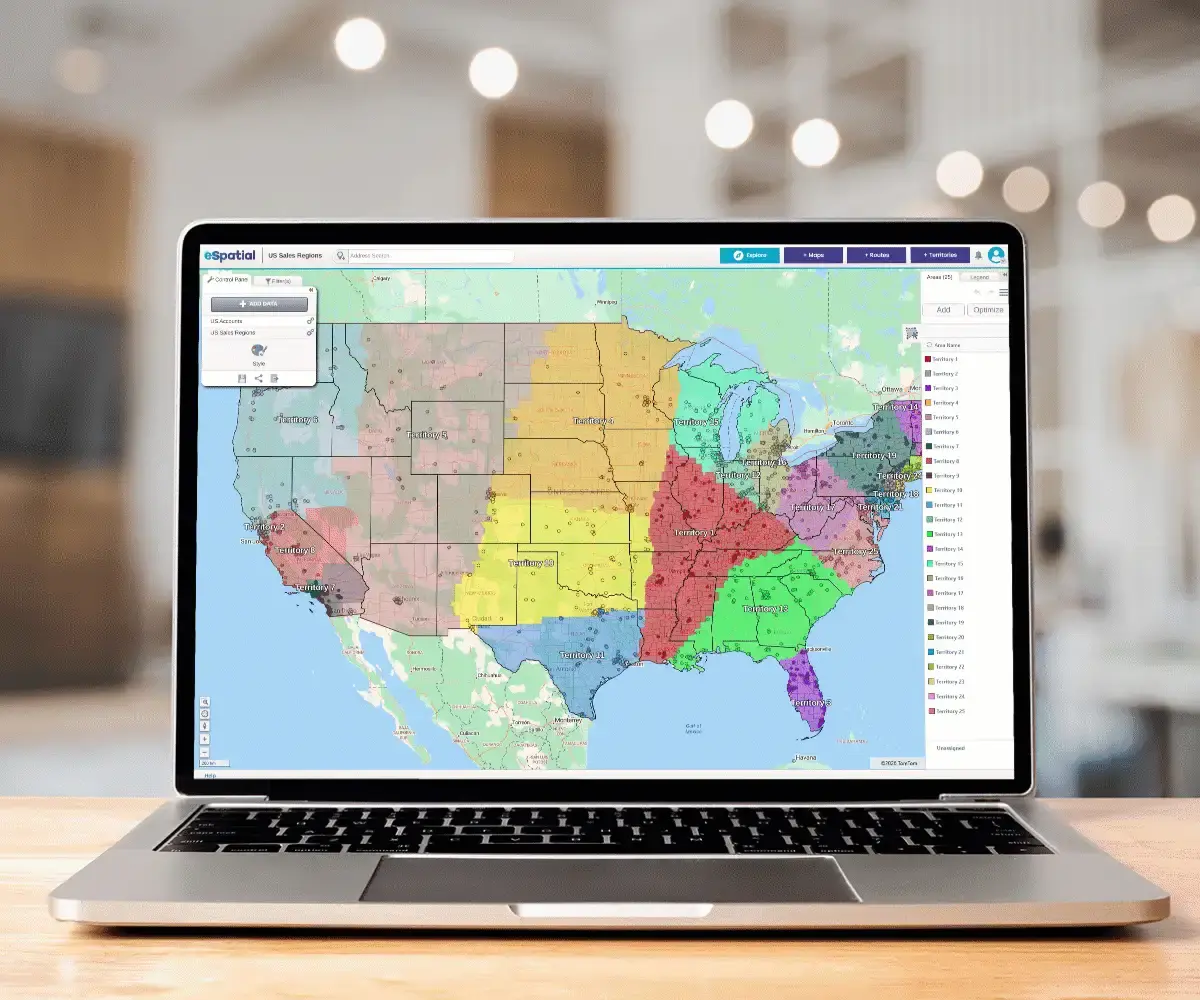
2 people reviewing territory map on desktop computer

Once-a-year territory planning in a dynamic market is an outdated framework that leaves revenue on the table and burns out top talent. By transitioning to an active, data-driven alignment strategy, RevOps leaders transform territory management from a dreaded annual disruption into a continuous operational advantage.

Deploying clear rules of engagement, such as the 90-Day Transition Split Rule and automated Dispute Resolution Matrices, eliminates commission friction, preserves team trust, and maintains pipeline momentum. When you treat your territory map as a living asset supported by modern territory mapping technology, you ensure that rep capacity always matches market opportunity, fueling predictable, scalable revenue growth year-round.

Trusted by Businesses Globally


Join the leaders. Top teams across every industry use location intelligence to turn data into a competitive advantage. Sales: Hunt high-potential leads and balance territories. Operations: Optimise coverage and slash service costs. Marketing: Target high-growth regions and prove ROI.

★★★★★

eSpatial is Awesome

I have been using eSpatial for about a month and find it way more than I expected. Being able to easily utilize the system and visually seeing where incidents occur has helped us utilize resources more efficiently. The Customer Service is excellent.
★★★★☆

eSpatial is a great visual tool for mapping out leads, prospects, and current accounts

I appreciate the visual representation of all of the accounts and being able to connect the accounts with different filters and tools such as heat maps. It is a great organizational tool.
★★★★★

Great tool for creating custom maps and charts

This is a great tool for creating custom heat maps with our data. The CSV import makes it easy to upload and change data, and every point can show different markers. Very helpful for last minute presentations as well!
★★★★☆

Great tool for visualizing territories

We are able to send direct links to end users so they can visualize their areas of responsibility. Making changes to existing territories is very easy.
★★★★★

You must have no doubts, you must try

It is really very functional and effective for situations that require accurate data mapping. I like that I only have a little more than 20 days using it and I already feel like an expert. In addition, I love that I can establish effective data parameters to execute heat maps in a precise and personalized way.
★★★★★

Great Product!

This product is great and super easy to use. This has cut our route design timing in half. The customer service is fantastic!
★★★★★

The support is AMAZING and the tool is simple to use and works well!

The support is amazing. They reply right away every time! I have had two issues that needed resolution within an hour and their support team came through on both times.
★★★★★

Data Visualization Uncovers New Opportunities

The reason we selected and continuously renew our account is the outstanding support we receive each step of the way. eSpatial invests in your success and wants you to be getting the most out of their platform.
★★★★★

eSpatial is a lifesaver!

I have had nothing but success with eSpatial. When previous products were limited in their abilities (map sharing, dynamic maps, etc.).
★★★★☆

Engel & Völkers Americas

At E&V we use this software as a sales tool to show prospects their "territory" first hand. We also are able to create maps using address points to make it easier for our sales team to navigate larger areas of the US to make better use of their time.
★★★☆☆

Easy to use limited in customization

How easy the program is to learn. Easy to import new data.
★★★★☆

Great tool to help our non-profit plan

We appreciate the ability to layer multiple variables at a time.
★★★★★

User Friendly Mapping

I love how easy it was to learn how to map on this software. The set-up was not difficult either and they had a representative reach out personally to help you with your account whether you wanted a phone call or email help.
★★★★★

Great Collaborative platform!

I run a small team that responds to inbound leads with the purpose of qualifying and setting up meetings for our Sales partners. With the higher volume and tight turnaround times we deal with, a collaborative plugin like eSpatial is invaluable.
★★★★★

Bulletproof - Program And People

The program works flawlessly. It's so easy to add data, change the view, isolate territories - total flexibility.
★★★★☆

Excellent Data Visualisation

Ability to customise heat maps and overlay multiple data sets.
★★★★★

Fantastic product and service

This system provides a tremendous insight into our trading locations to allow us to make dynamic decisions. The team and after sales care are in keeping with the systems quality.
★★★★☆

Great program that's simple to use

eSpatial is very user-friendly, allowing us to spend little time implementing and training how to use the software. When we had issues, their excellent customer service was quick to respond.
★★★★★

Most User Friendly Mapping Tool & White Glove Customer Service!

Constant tool enhancements, extremely helpful & quick customer support, user friendly / great UI, easy to upload data, territory balancing option quick to learn / no implementation needed.
★★★★★

eSpatial is Awesome

I have been using eSpatial for about a month and find it way more than I expected. Being able to easily utilize the system and visually seeing where incidents occur has helped us utilize resources more efficiently. The Customer Service is excellent.
★★★★☆

eSpatial is a great visual tool for mapping out leads, prospects, and current accounts

I appreciate the visual representation of all of the accounts and being able to connect the accounts with different filters and tools such as heat maps. It is a great organizational tool.
★★★★★

Great tool for creating custom maps and charts

This is a great tool for creating custom heat maps with our data. The CSV import makes it easy to upload and change data, and every point can show different markers. Very helpful for last minute presentations as well!
★★★★☆

Great tool for visualizing territories

We are able to send direct links to end users so they can visualize their areas of responsibility. Making changes to existing territories is very easy.
★★★★★

You must have no doubts, you must try

It is really very functional and effective for situations that require accurate data mapping. I love that I can establish effective data parameters to execute heat maps in a precise and personalized way.
★★★★★

Great Product!

This product is great and super easy to use. This has cut our route design timing in half. The customer service is fantastic!
★★★★★

The support is AMAZING and the tool is simple to use and works well!

The support is amazing. They reply right away every time! I have had two issues that needed resolution within an hour and their support team came through on both times.
★★★★★

Data Visualization Uncovers New Opportunities

The reason we selected and continuously renew our account is the outstanding support we receive each step of the way. eSpatial invests in your success and wants you to be getting the most out of their platform.
★★★★★

eSpatial is a lifesaver!

eSpatial has set out to crush it from day one. Any improvement that I've suggested has eventually been implemented, and the customer service/support is TOP NOTCH.
★★★★☆

Engel & Völkers Americas

At E&V we use this software as a sales tool to show prospects their "territory" first hand. We also are able to create maps using address points to make it easier for our sales team to navigate larger areas of the US to make better use of their time.
★★★☆☆

Easy to use limited in customization

How easy the program is to learn. Easy to import new data.
★★★★☆

Great tool to help our non-profit plan

We appreciate the ability to layer multiple variables at a time.
★★★★★

User Friendly Mapping

I love how easy it was to learn how to map on this software. The set-up was not difficult either and they had a representative reach out personally to help you with your account whether you wanted a phone call or email help.
★★★★★

Great Collaborative platform!

I run a small team that responds to inbound leads with the purpose of qualifying and setting up meetings for our Sales partners. With the higher volume and tight turnaround times we deal with, a collaborative plugin like eSpatial is invaluable.
★★★★★

Bulletproof - Program And People

The program works flawlessly. It's so easy to add data, change the view, isolate territories - total flexibility.
★★★★☆

Excellent Data Visualisation

Ability to customise heat maps and overlay multiple data sets.
★★★★★

Fantastic product and service

This system provides a tremendous insight into our trading locations to allow us to make dynamic decisions. The team and after sales care are in keeping with the systems quality.
★★★★☆

Great program that's simple to use

eSpatial is very user-friendly, allowing us to spend little time implementing and training how to use the software. When we had issues, their excellent customer service was quick to respond.
★★★★★

Most User Friendly Mapping Tool & White Glove Customer Service!

Constant tool enhancements, extremely helpful & quick customer support, user friendly / great UI, easy to upload data, territory balancing option quick to learn / no implementation needed.
★★★★★

eSpatial is a very easy to use mapping tool for various business needs

Easy to upload data and format maps. Heat maps give us a quick view of our business and the radius and filters help us make business decisions.
★★★★★

eSpatial has been a great partner and their platform helps us in many aspects of sales planning

A great onboarding/training program helps hit the ground running. The dedicated success team is quick to respond, takes feedback, and continues to check in on our needs.
★★★★★

eSpatial is easy to use, maps are visually appealing, and the customer support is fantastic

Any time I have had a question or concern, the support team has responded very quickly and addressed all of my needs with the software.
★★★★☆

Great integration options & helpful support team

The ability to route at a postal code level and layer it among other data.
★★★★★

Wonderful application!

The ease of use and system functionality allow you to generate customized maps.
★★★★☆

Easy to use mapping and territory creator for logistics company

eSpatial is extremely easy to use when it comes to creating maps or territories. We utilize this to keep up with and modify the areas in which we service our customers.
★★★★★

Very Easy and Intuitive

I like the ability to be able to easily plan my routes for my sales calls. It helps me make the most of the time I have and the miles I drive, and allows me to hit my goals more easily than if I were just flying by the seat of my pants.
★★★★★

Great Customer Support

The customer support is fantastic. I wish that every company serviced their customers like eSpatial.
★★★★★

Advancing Your Business Development and Growth

I like best about eSpatial is the ease of the tool and support from the eSpatial team.
★★★☆☆

Use eSpatial for simple policy mapping

Updates to maps in my eSpatial account automatically sync to the webpages where I have them linked.
★★★★★

Mapping

The ability to slice a data set into different maps and share them with non-licensed users.
★★★★☆

Good Mapping System for Corporate Customers

I like the user interface and how you can manipulate the layers and appearances of the maps.
★★★★★

Great Out of The Box UI and Fantastic Customer Support

Easy to map and design territories; clean UI.
★★★★★

Great product

Excellent reaction time, accuracy, customer service.
★★★★★

eSpatial Was Definitely the Right Choice for my Company

User-friendly, powerful, visually attractive, accurate, with robust data integration.
★★★★★

Amazing Product. Otherwordly Support

I use eSpatial to plot sales by zip codes for retailers and their competitors. The mapping helps me to better focus digital advertising, decide y/n on cable zones, and to measure effectiveness of changes in media plans. Clients love it, because . . . well, the map has life. A spreadsheet does not.
★★★★☆

There was a change in the website design but I preferred the old one

Something that is good about eSpatial is for planning proximity purposes, it is a good tool.
★★★★★

A Great Tool for Mapping Customers and for Marketing

The ease of use. The platform makes uploading data and mapping extremely easy. This is not limited to just customer data.
★★★★★

Strategic Mapping of College Sports Fans

Visualizing the data through heat maps or radius maps allows me to tell a positive story that is easy to comprehend.
★★★★★

eSpatial is a very easy to use mapping tool for various business needs

Easy to upload data and format maps. Heat maps give us a quick view of our business and the radius and filters help us make business decisions.
★★★★★

eSpatial has been a great partner and their platform helps us in many aspects of sales planning

A great onboarding/training program helps hit the ground running. The dedicated success team is quick to respond, takes feedback, and continues to check in on our needs.
★★★★★

eSpatial is easy to use, maps are visually appealing, and the customer support is fantastic

Any time I have had a question or concern, the support team has responded very quickly and addressed all of my needs with the software.
★★★★☆

Great integration options & helpful support team

The ability to route at a postal code level and layer it among other data.
★★★★★

Wonderful application!

The ease of use and system functionality allow you to generate customized maps.
★★★★☆

Easy to use mapping and territory creator for logistics company

eSpatial is extremely easy to use when it comes to creating maps or territories. We utilize this to keep up with and modify the areas in which we service our customers.
★★★★★

Very Easy and Intuitive

I like the ability to be able to easily plan my routes for my sales calls. It helps me make the most of the time I have and the miles I drive, and allows me to hit my goals more easily than if I were just flying by the seat of my pants.
★★★★★

Great Customer Support

They ask the right questions to get an understanding of what you need to accomplish with the software. Their overall knowledge of the practical way to use the software of the software is phenomenal.
★★★★★

Advancing Your Business Development and Growth

I like best about eSpatial is the ease of the tool and support from the eSpatial team.
★★★☆☆

Use eSpatial for simple policy mapping

Updates to maps in my eSpatial account automatically sync to the webpages where I have them linked.
★★★★★

Mapping

The ability to slice a data set into different maps and share them with non-licensed users.
★★★★☆

Good Mapping System for Corporate Customers

I like the user interface and how you can manipulate the layers and appearances of the maps.
★★★★★

Great Out of The Box UI and Fantastic Customer Support

Easy to map and design territories; clean UI.
★★★★★

Great product

Excellent reaction time, accuracy, customer service.
★★★★★

eSpatial Was Definitely the Right Choice for my Company

User-friendly, powerful, visually attractive, accurate, with robust data integration.
★★★★★

Amazing Product. Otherwordly Support

I use eSpatial to plot sales by zip codes for retailers and their competitors. The mapping helps me to better focus digital advertising, decide y/n on cable zones, and to measure effectiveness of changes in media plans. Clients love it, because . . . well, the map has life. A spreadsheet does not.
★★★★☆

There was a change in the website design but I preferred the old one

Something that is good about eSpatial is for planning proximity purposes, it is a good tool.
★★★★★

A Great Tool for Mapping Customers and for Marketing

The ease of use. The platform makes uploading data and mapping extremely easy. This is not limited to just customer data.
★★★★★

Strategic Mapping of College Sports Fans

Visualizing the data through heat maps or radius maps allows me to tell a positive story that is easy to comprehend.

Ready to Future-Proof Your Sales Strategy?


You've designed, you've optimized, Now take control

Territory Mapping Solutions


Frequently Asked Questions


While a full "tear down and rebuild" is usually an annual event, Active Management suggests a quarterly review. Look for outliers, reps who are vastly over or under quota, and make "surgical" adjustments to balance them without disrupting the whole team.

Transparency is key. Reps usually push back because they fear losing income. By using data visualization, you can show a rep: "We are taking away these 10 low-value accounts that require 4 hours of driving, and giving you these 5 high-value accounts close to home". When they see the Workload vs. Opportunity trade-off visually, the conversation shifts from "loss" to "efficiency".

Optimization (Spoke 2) is the math of getting the balance right initially. Active Management (Spoke 3) is the governance and process of maintaining that balance as the market changes. Optimization is the "Blueprint"; Active Management is the "Construction Site".

You appear to be offline at the moment, this notice will disappear once your device can connect to the internet again