







Location analytics is the process of adding geographic insights to business data. It bridges traditional business intelligence, which tracks what happened, and spatial analysis, which reveals where and why performance varies. By mapping CRM and ERP records, location analytics turns spreadsheet rows into actionable spatial intelligence.
Our Customers Love Mapping With eSpatial
What Is Location Analytics in
Modern Business Intelligence?

Moving Beyond The Data
And Dashboards To Insight
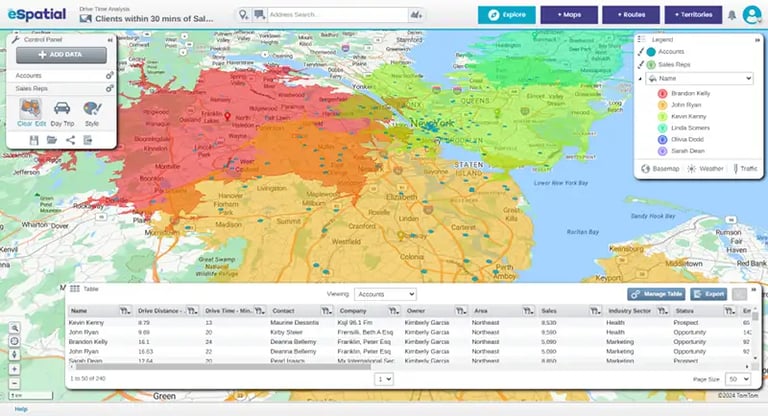
Standard Business Intelligence (BI) tools excel at generating bar charts, revenue graphs, and monthly performance tables. However, tabular reporting hides the critical real-world connections between your customers, field reps, and operational facilities.
Geography matters in critical operational decision making. Instead of scrolling through thousands of spreadsheet rows, teams gain an immediate, visual picture of market density, service gaps, and high-performing territories.
A game changing combination of your business data with intuitive geographic visualization, location mapping platforms give sales, operations, and HR leaders the power to answer complex spatial questions in seconds—without waiting on specialized GIS teams.
What are the Core Business
Applications of Location Analytics?
Location analytics powers everyday business decisions across workforce planning, field service dispatching, and site selection. Mapping software is loved by teams because it is so simple, intuitive and easy to use. Non-technical teams can align remote employees, route technicians using actual drive times, and pinpoint profitable expansion sites without complex GIS software.
You do not need a degree in geography or months of technical training to solve spatial business problems. Easy-to-use location mapping tools give sales, operations, and HR leaders visual clarity to handle three major business workflows.
1. How do teams use location mapping software for workforce planning?
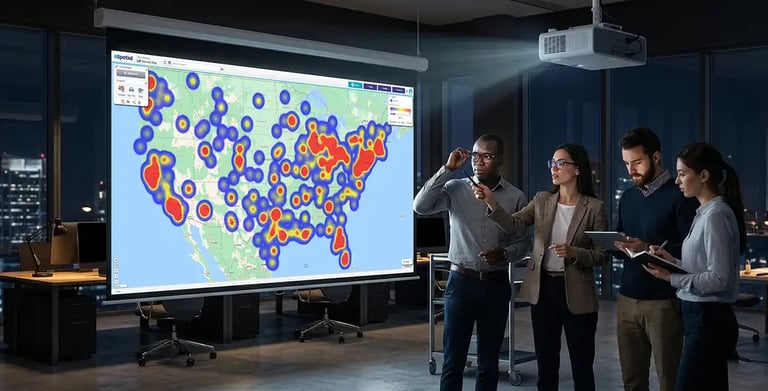
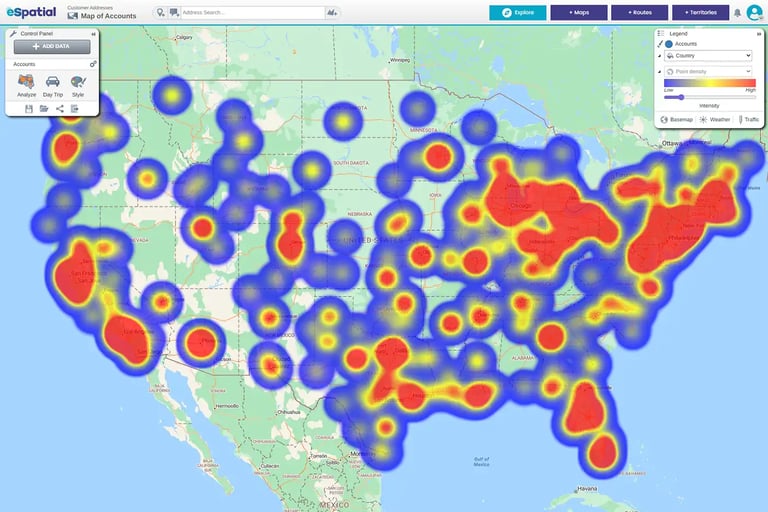
Managing hybrid schedules or choosing a new office hub requires knowing where your employees live relative to key operational sites.
Location mapping software lets HR and operations leaders plot employee addresses against commuting boundaries to design fair hybrid policies and plan central meeting spots.
HR teams can safely upload sensitive address records, keeping staff data secure through Single Sign-On (SSO) and strict access controls.
2. How does proximity and nearest neighbor analysis optimize field SLAs?
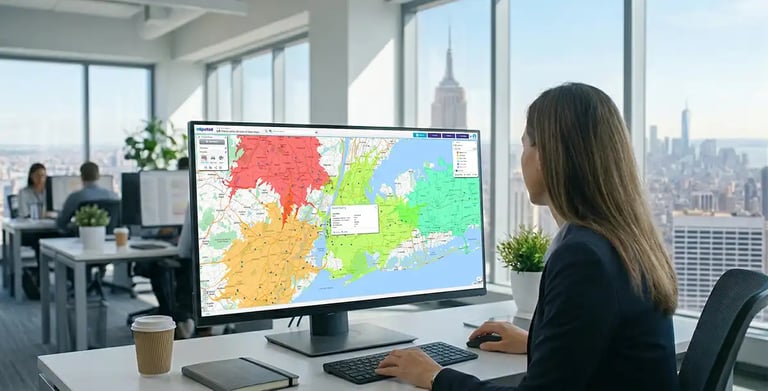
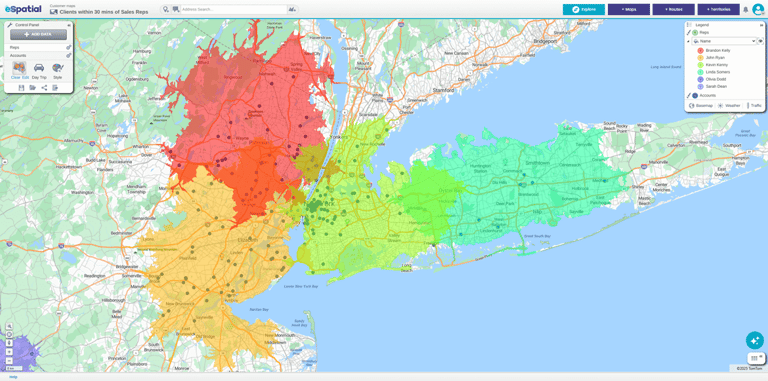
When a customer needs urgent support, finding the right field technician shouldn't involve measuring straight-line distance on a static map.
Proximity and nearest-neighbor tools automatically calculate actual travel times and road networks to match the closest available technician to the job site.
Operations teams reduce travel costs, respond faster to service calls, and meet strict Service Level Agreements (SLAs) without manual effort.
3. How does site selection analysis identify high-ROI facility locations?
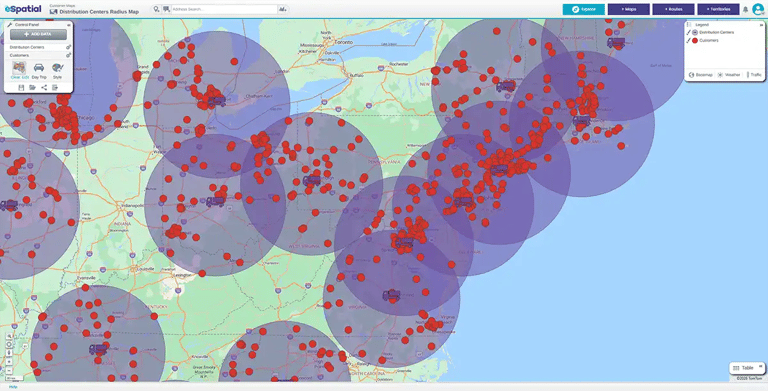
Opening a new store, clinic, or warehouse is a major investment that shouldn't rely on intuition or incomplete zip code data.
Site selection tools overlay your active customer clusters, nearby competitor locations, and drive-time zones on a simple, shared map.
By seeing where customer demand overlaps with travel convenience, leadership teams can confidently pick facility locations that drive maximum revenue.
The ease with which you can create a new scenario, get feedback and decide is a game-changer for teams.
What Real-World Results Do Business
Leaders Achieve With Location Analytics?
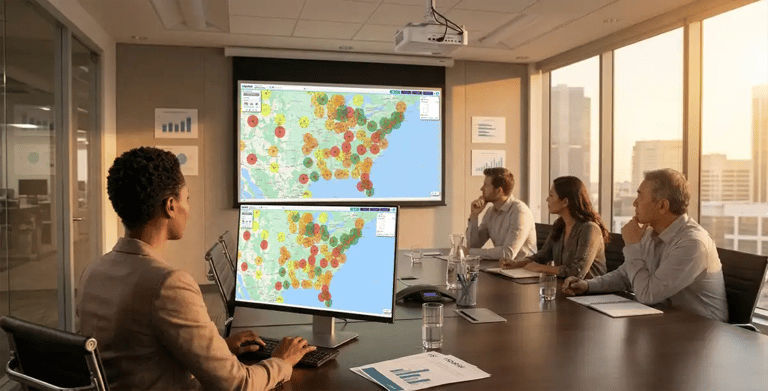
Business leaders use location analytics to cut territory design time from days to minutes, eliminate shipping overhead, and make live strategy decisions during leadership meetings. By visualizing sales and operations data on clear maps, teams eliminate costly guesswork and drive measurable business growth.
Turning Address Data into Measurable Business Savings
Moving from spreadsheets to interactive mapping is not just about making better-looking presentations—it delivers immediate, measurable savings across operations, sales, and logistics.
When teams can see customer accounts, delivery routes, and sales boundaries on a shared map, decision-making changes overnight. Meetings shift from debating raw spreadsheet numbers to taking confident action on clear spatial insights.

Lauren Concrete
- Strategic Challenge High shipping costs and inefficient plant delivery radiuses in central Texas
- The Spatial Solution Visualized plant delivery zones on interactive maps to isolate high-cost shipping areas
- Verified Business ROI Pinpointed low-cost delivery boundaries and reduced regional logistics overhead

Thermo Fisher
- Strategic Challenge Multi-day territory planning cycles that delayed strategic sales decisions
- The Spatial Solution Mapped customer accounts live during leadership meetings to realign territories on the fly
- Verified Business ROI Finalized sales territory realignments instantly in front of key stakeholders

LivaNova
- Strategic Challenge Complex, multi-step approval processes for sales territory designs
- The Spatial Solution Streamlined territory creation with simple, shared visual maps across regional teams
- Verified Business ROI Eliminated unnecessary approval steps and saved hundreds of operational hours

Franchise & Real Estate
- Strategic Challenge Protracted franchise territory agreement reviews and site approvals
- The Spatial Solution Generated clear, interactive territory maps for prospective franchisees during evaluations
- Verified Business ROI Accelerated agreement timelines from 6 days down to just 90 minutes
Trusted by Businesses Globally
★★★★★
eSpatial is Awesome
I have been using eSpatial for about a month and find it way more than I expected. Being able to easily utilize the system and visually seeing where incidents occur has helped us utilize resources more efficiently. The Customer Service is excellent.

★★★★☆
eSpatial is a great visual tool for mapping out leads, prospects, and current accounts
I appreciate the visual representation of all of the accounts and being able to connect the accounts with different filters and tools such as heat maps. It is a great organizational tool.
★★★★★
Great tool for creating custom maps and charts
This is a great tool for creating custom heat maps with our data. The CSV import makes it easy to upload and change data, and every point can show different markers. Very helpful for last minute presentations as well!

★★★★☆
Great tool for visualizing territories
We are able to send direct links to end users so they can visualize their areas of responsibility. Making changes to existing territories is very easy.
★★★★★
You must have no doubts, you must try
It is really very functional and effective for situations that require accurate data mapping. I like that I only have a little more than 20 days using it and I already feel like an expert. In addition, I love that I can establish effective data parameters to execute heat maps in a precise and personalized way.
★★★★★
Great Product!
This product is great and super easy to use. This has cut our route design timing in half. The customer service is fantastic!
★★★★★
The support is AMAZING and the tool is simple to use and works well!
The support is amazing. They reply right away every time! I have had two issues that needed resolution within an hour and their support team came through on both times.
★★★★★
Data Visualization Uncovers New Opportunities
The reason we selected and continuously renew our account is the outstanding support we receive each step of the way. eSpatial invests in your success and wants you to be getting the most out of their platform.
★★★★★
eSpatial is a lifesaver!
I have had nothing but success with eSpatial. When previous products were limited in their abilities (map sharing, dynamic maps, etc.).
★★★★☆
Engel & Völkers Americas
At E&V we use this software as a sales tool to show prospects their "territory" first hand. We also are able to create maps using address points to make it easier for our sales team to navigate larger areas of the US to make better use of their time.
★★★☆☆
Easy to use limited in customization
How easy the program is to learn. Easy to import new data.
★★★★☆
Great tool to help our non-profit plan
We appreciate the ability to layer multiple variables at a time.
★★★★★
User Friendly Mapping
I love how easy it was to learn how to map on this software. The set-up was not difficult either and they had a representative reach out personally to help you with your account whether you wanted a phone call or email help.
★★★★★
Great Collaborative platform!
I run a small team that responds to inbound leads with the purpose of qualifying and setting up meetings for our Sales partners. With the higher volume and tight turnaround times we deal with, a collaborative plugin like eSpatial is invaluable.
★★★★★
Bulletproof - Program And People
The program works flawlessly. It's so easy to add data, change the view, isolate territories - total flexibility.
★★★★☆
Excellent Data Visualisation
Ability to customise heat maps and overlay multiple data sets.
★★★★★
Fantastic product and service
This system provides a tremendous insight into our trading locations to allow us to make dynamic decisions. The team and after sales care are in keeping with the systems quality.
★★★★☆
Great program that's simple to use
eSpatial is very user-friendly, allowing us to spend little time implementing and training how to use the software. When we had issues, their excellent customer service was quick to respond.
★★★★★
Most User Friendly Mapping Tool & White Glove Customer Service!
Constant tool enhancements, extremely helpful & quick customer support, user friendly / great UI, easy to upload data, territory balancing option quick to learn / no implementation needed.
★★★★★
eSpatial is Awesome
I have been using eSpatial for about a month and find it way more than I expected. Being able to easily utilize the system and visually seeing where incidents occur has helped us utilize resources more efficiently. The Customer Service is excellent.
★★★★☆
eSpatial is a great visual tool for mapping out leads, prospects, and current accounts
I appreciate the visual representation of all of the accounts and being able to connect the accounts with different filters and tools such as heat maps. It is a great organizational tool.
★★★★★
Great tool for creating custom maps and charts
This is a great tool for creating custom heat maps with our data. The CSV import makes it easy to upload and change data, and every point can show different markers. Very helpful for last minute presentations as well!
★★★★☆
Great tool for visualizing territories
We are able to send direct links to end users so they can visualize their areas of responsibility. Making changes to existing territories is very easy.
★★★★★
You must have no doubts, you must try
It is really very functional and effective for situations that require accurate data mapping. I love that I can establish effective data parameters to execute heat maps in a precise and personalized way.
★★★★★
Great Product!
This product is great and super easy to use. This has cut our route design timing in half. The customer service is fantastic!
★★★★★
The support is AMAZING and the tool is simple to use and works well!
The support is amazing. They reply right away every time! I have had two issues that needed resolution within an hour and their support team came through on both times.
★★★★★
Data Visualization Uncovers New Opportunities
The reason we selected and continuously renew our account is the outstanding support we receive each step of the way. eSpatial invests in your success and wants you to be getting the most out of their platform.
★★★★★
eSpatial is a lifesaver!
eSpatial has set out to crush it from day one. Any improvement that I've suggested has eventually been implemented, and the customer service/support is TOP NOTCH.
★★★★☆
Engel & Völkers Americas
At E&V we use this software as a sales tool to show prospects their "territory" first hand. We also are able to create maps using address points to make it easier for our sales team to navigate larger areas of the US to make better use of their time.
★★★☆☆
Easy to use limited in customization
How easy the program is to learn. Easy to import new data.
★★★★☆
Great tool to help our non-profit plan
We appreciate the ability to layer multiple variables at a time.
★★★★★
User Friendly Mapping
I love how easy it was to learn how to map on this software. The set-up was not difficult either and they had a representative reach out personally to help you with your account whether you wanted a phone call or email help.
★★★★★
Great Collaborative platform!
I run a small team that responds to inbound leads with the purpose of qualifying and setting up meetings for our Sales partners. With the higher volume and tight turnaround times we deal with, a collaborative plugin like eSpatial is invaluable.
★★★★★
Bulletproof - Program And People
The program works flawlessly. It's so easy to add data, change the view, isolate territories - total flexibility.
★★★★☆
Excellent Data Visualisation
Ability to customise heat maps and overlay multiple data sets.
★★★★★
Fantastic product and service
This system provides a tremendous insight into our trading locations to allow us to make dynamic decisions. The team and after sales care are in keeping with the systems quality.
★★★★☆
Great program that's simple to use
eSpatial is very user-friendly, allowing us to spend little time implementing and training how to use the software. When we had issues, their excellent customer service was quick to respond.
★★★★★
Most User Friendly Mapping Tool & White Glove Customer Service!
Constant tool enhancements, extremely helpful & quick customer support, user friendly / great UI, easy to upload data, territory balancing option quick to learn / no implementation needed.
★★★★★
eSpatial is a very easy to use mapping tool for various business needs
Easy to upload data and format maps. Heat maps give us a quick view of our business and the radius and filters help us make business decisions.
★★★★★
eSpatial has been a great partner and their platform helps us in many aspects of sales planning
A great onboarding/training program helps hit the ground running. The dedicated success team is quick to respond, takes feedback, and continues to check in on our needs.
★★★★★
eSpatial is easy to use, maps are visually appealing, and the customer support is fantastic
Any time I have had a question or concern, the support team has responded very quickly and addressed all of my needs with the software.
★★★★☆
Great integration options & helpful support team
The ability to route at a postal code level and layer it among other data.
★★★★★
Wonderful application!
The ease of use and system functionality allow you to generate customized maps.
★★★★☆
Easy to use mapping and territory creator for logistics company
eSpatial is extremely easy to use when it comes to creating maps or territories. We utilize this to keep up with and modify the areas in which we service our customers.
★★★★★
Very Easy and Intuitive
I like the ability to be able to easily plan my routes for my sales calls. It helps me make the most of the time I have and the miles I drive, and allows me to hit my goals more easily than if I were just flying by the seat of my pants.
★★★★★
Great Customer Support
The customer support is fantastic. I wish that every company serviced their customers like eSpatial.
★★★★★
Advancing Your Business Development and Growth
I like best about eSpatial is the ease of the tool and support from the eSpatial team.
★★★☆☆
Use eSpatial for simple policy mapping
Updates to maps in my eSpatial account automatically sync to the webpages where I have them linked.
★★★★★
Mapping
The ability to slice a data set into different maps and share them with non-licensed users.
★★★★☆
Good Mapping System for Corporate Customers
I like the user interface and how you can manipulate the layers and appearances of the maps.
★★★★★
Great Out of The Box UI and Fantastic Customer Support
Easy to map and design territories; clean UI.
★★★★★
Great product
Excellent reaction time, accuracy, customer service.
★★★★★
eSpatial Was Definitely the Right Choice for my Company
User-friendly, powerful, visually attractive, accurate, with robust data integration.
★★★★★
Amazing Product. Otherwordly Support
I use eSpatial to plot sales by zip codes for retailers and their competitors. The mapping helps me to better focus digital advertising, decide y/n on cable zones, and to measure effectiveness of changes in media plans. Clients love it, because . . . well, the map has life. A spreadsheet does not.
★★★★☆
There was a change in the website design but I preferred the old one
Something that is good about eSpatial is for planning proximity purposes, it is a good tool.
★★★★★
A Great Tool for Mapping Customers and for Marketing
The ease of use. The platform makes uploading data and mapping extremely easy. This is not limited to just customer data.
★★★★★
Strategic Mapping of College Sports Fans
Visualizing the data through heat maps or radius maps allows me to tell a positive story that is easy to comprehend.
★★★★★
eSpatial is a very easy to use mapping tool for various business needs
Easy to upload data and format maps. Heat maps give us a quick view of our business and the radius and filters help us make business decisions.
★★★★★
eSpatial has been a great partner and their platform helps us in many aspects of sales planning
A great onboarding/training program helps hit the ground running. The dedicated success team is quick to respond, takes feedback, and continues to check in on our needs.
★★★★★
eSpatial is easy to use, maps are visually appealing, and the customer support is fantastic
Any time I have had a question or concern, the support team has responded very quickly and addressed all of my needs with the software.
★★★★☆
Great integration options & helpful support team
The ability to route at a postal code level and layer it among other data.
★★★★★
Wonderful application!
The ease of use and system functionality allow you to generate customized maps.
★★★★☆
Easy to use mapping and territory creator for logistics company
eSpatial is extremely easy to use when it comes to creating maps or territories. We utilize this to keep up with and modify the areas in which we service our customers.
★★★★★
Very Easy and Intuitive
I like the ability to be able to easily plan my routes for my sales calls. It helps me make the most of the time I have and the miles I drive, and allows me to hit my goals more easily than if I were just flying by the seat of my pants.
★★★★★
Great Customer Support
They ask the right questions to get an understanding of what you need to accomplish with the software. Their overall knowledge of the practical way to use the software of the software is phenomenal.
★★★★★
Advancing Your Business Development and Growth
I like best about eSpatial is the ease of the tool and support from the eSpatial team.
★★★☆☆
Use eSpatial for simple policy mapping
Updates to maps in my eSpatial account automatically sync to the webpages where I have them linked.
★★★★★
Mapping
The ability to slice a data set into different maps and share them with non-licensed users.
★★★★☆
Good Mapping System for Corporate Customers
I like the user interface and how you can manipulate the layers and appearances of the maps.
★★★★★
Great Out of The Box UI and Fantastic Customer Support
Easy to map and design territories; clean UI.
★★★★★
Great product
Excellent reaction time, accuracy, customer service.
★★★★★
eSpatial Was Definitely the Right Choice for my Company
User-friendly, powerful, visually attractive, accurate, with robust data integration.
★★★★★
Amazing Product. Otherwordly Support
I use eSpatial to plot sales by zip codes for retailers and their competitors. The mapping helps me to better focus digital advertising, decide y/n on cable zones, and to measure effectiveness of changes in media plans. Clients love it, because . . . well, the map has life. A spreadsheet does not.
★★★★☆
There was a change in the website design but I preferred the old one
Something that is good about eSpatial is for planning proximity purposes, it is a good tool.
★★★★★
A Great Tool for Mapping Customers and for Marketing
The ease of use. The platform makes uploading data and mapping extremely easy. This is not limited to just customer data.
★★★★★
Strategic Mapping of College Sports Fans
Visualizing the data through heat maps or radius maps allows me to tell a positive story that is easy to comprehend.
Mapping Software Solutions
-
 Reporting & Visualization
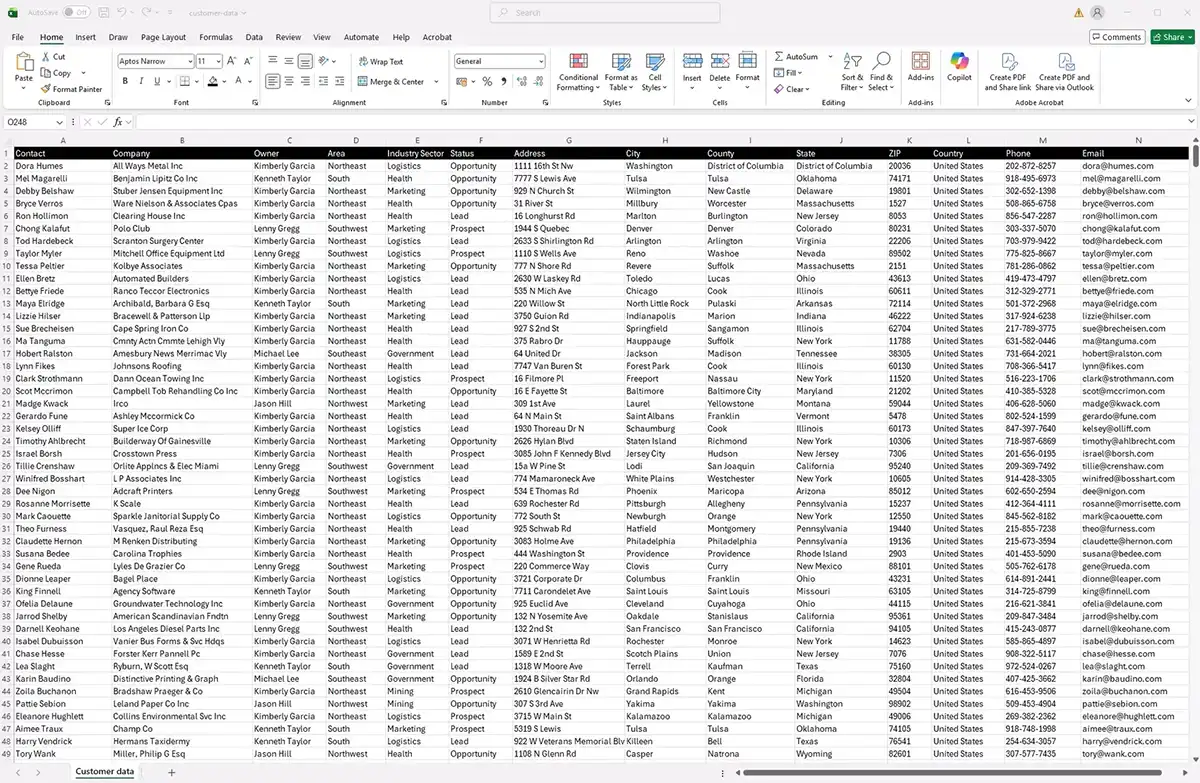
Tell a data story the boardroom understands. Generate presentation-ready, color-coded, and radius maps from your data instantly.
-
 Market Analysis & Trends
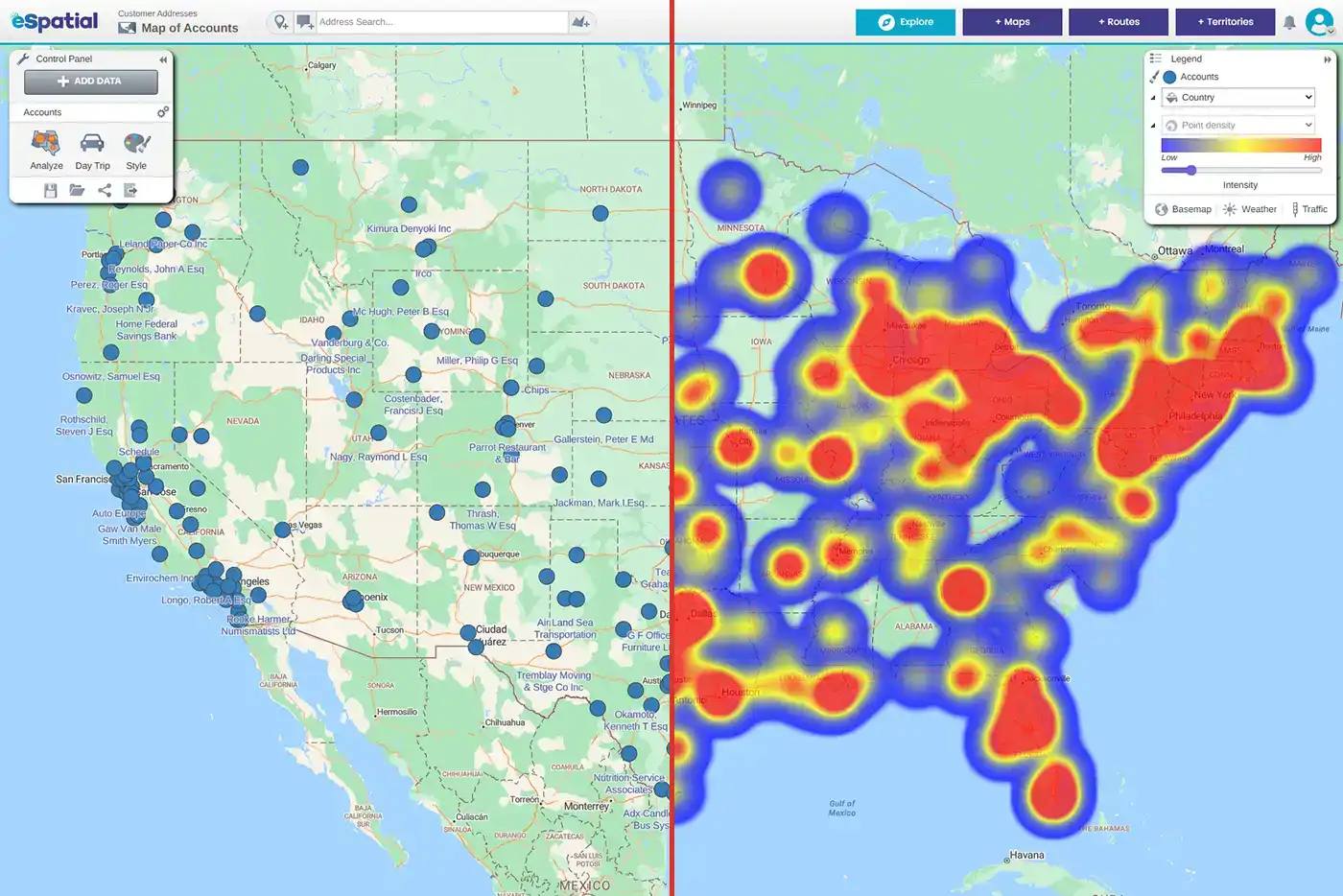
Find your white space. Use heat maps and spatial analysis to spot regional gaps, untapped potential, and de-risk expansion.
-
 Sales Productivity
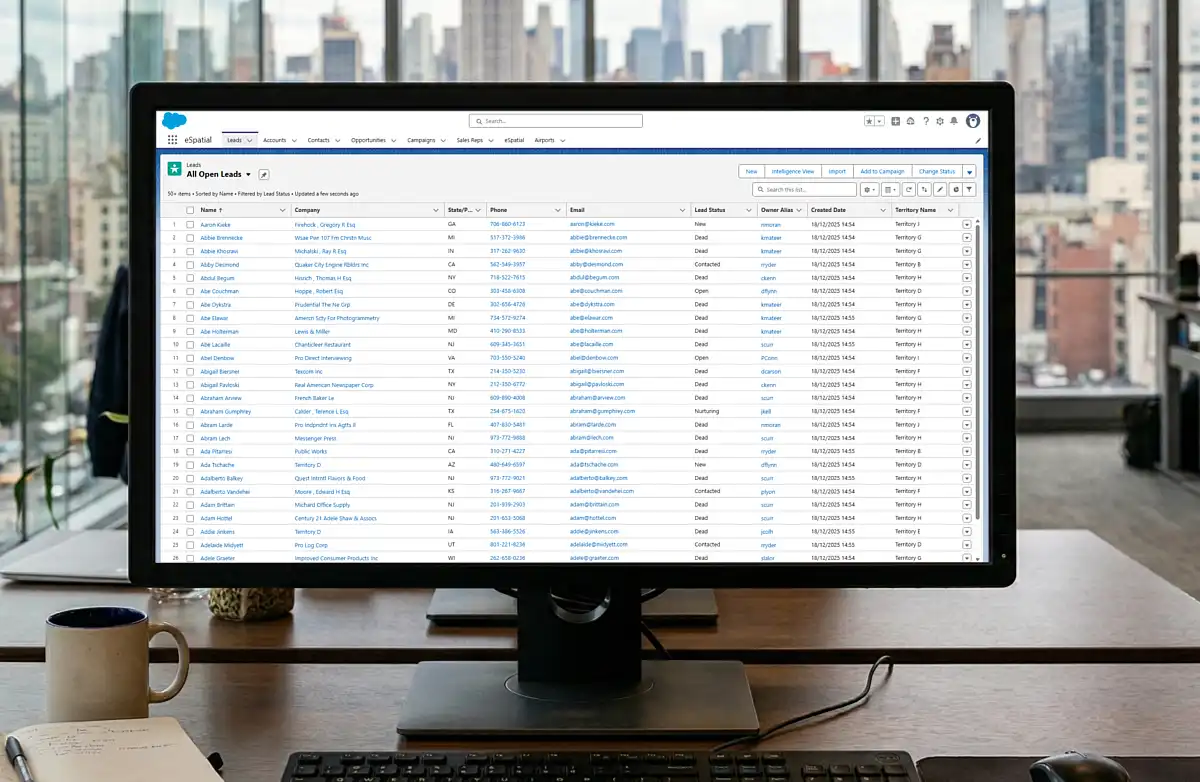
Give reps back 5 hours a week. Natively map your CRM data to visually cluster high-value accounts and analyze your sales pipeline.