



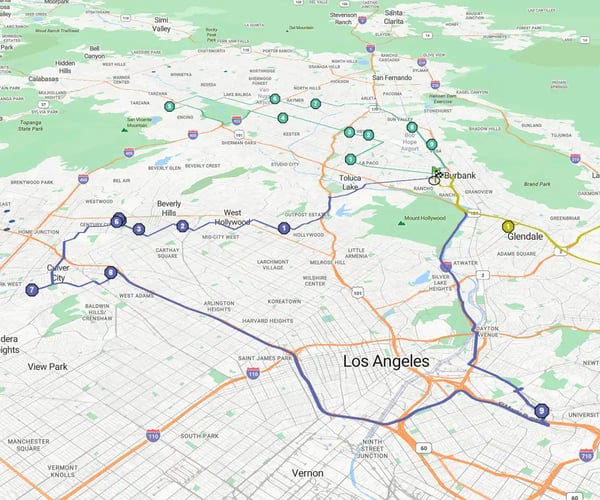






Automated routing software turns travel time into revenue by handling the complex sequencing behind the scenes, allowing reps to focus on client relationships rather than logistics.
Our Customers Love Mapping With eSpatial
How Should Sales Leaders Prioritize
Route Stops: Proximity vs. Account Value?
Sales leaders prioritize route stops by balancing account value, appointment urgency, and geographic location. While proximity-first routing minimizes drive expenses and travel time, structuring routes around high-value accounts ensures field representatives focus on key revenue drivers while maintaining efficient territory coverage.

When Should You Prioritize Geographic Proximity Over Account Deal Size?
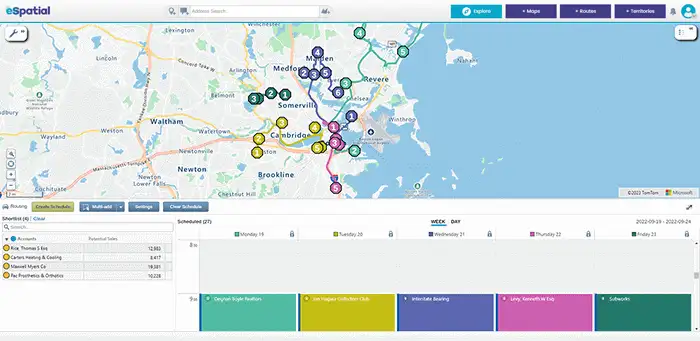
Proximity-first routing works best in high-density territories or routine account check-ins where minimizing drive time is the primary goal. By clustering stops within a tight geographic radius, representatives slash fuel overhead, avoid unnecessary backtracking, and maximize total visit volume.
However, relying strictly on proximity can cause representatives to spend entire days visiting lower-value accounts while major opportunities sit idle just a few miles further away. Proximity should serve as the framework for travel efficiency, but account value must dictate the destination.
How Do You Balance High-Value Opportunities With Drive Time Efficiency?
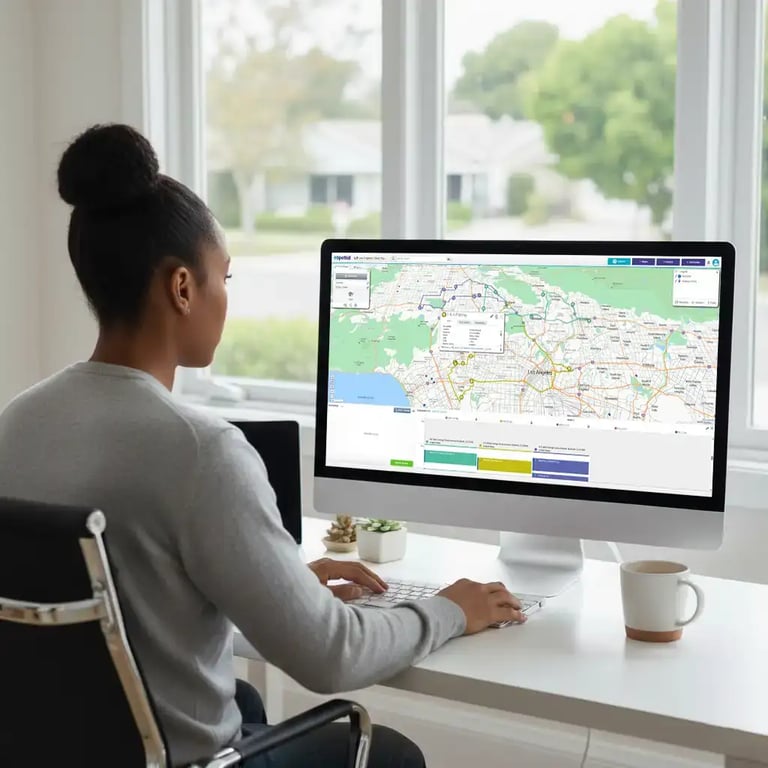
eSpatial allows sales teams to filter interactive maps by account value, tier, or status to instantly identify target prospects. Reps start by locking in their highest-value anchor appointments, ensuring top revenue drivers get top priority in the schedule.
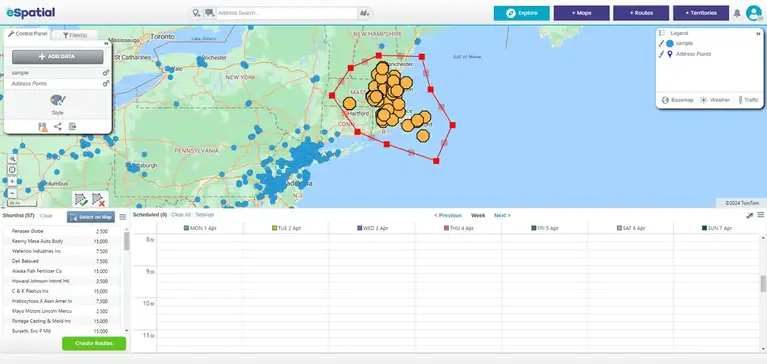
Once core high-value stops are set, reps use eSpatial's interactive map or list view to spot nearby secondary leads along the travel path. By using the lasso tool to select adjacent accounts, reps fill schedule gaps around anchor visits without adding unnecessary drive time.
How Does eSpatial Optimize Multi-Stop
Routes Up to 20 Days in Advance?
eSpatial optimizes multi-stop sales routes up to 20 days in advance using location intelligence algorithms. By balancing fixed customer appointment windows with geographic locations, the platform generates efficient multi-day itineraries that maximize territory coverage while strictly respecting buyer availability.

How Does eSpatial Balance Tight Customer Appointment Windows With Efficient Drive Paths?
Manual route planning breaks down when trying to juggle multiple fixed meeting times across weeks. eSpatial's optimization engine handles timing constraints automatically, sequencing multi-stop schedules so reps arrive on time without driving unnecessary miles.
By factoring in fixed customer appointment windows alongside location data, eSpatial balances efficiency with real-world schedules. Representatives spend less time stressing over travel logistics and more time focused on closing deals.

How Can Sales Managers Build and Push 20-Day Territory Itineraries in Minutes?
Sales leaders can map out an entire month of field visits in minutes rather than spending hours on spreadsheets. Using the interactive lasso tool to group account pins, or selecting target accounts directly from a CRM list, managers generate optimal multi-stop paths with a single click.
Once created, managers push itineraries directly to reps' mobile devices, ensuring field teams stay aligned on key account strategies. Long-horizon planning gives sales reps clear visibility into their upcoming schedules while eliminating administrative grunt work.
How Does eSpatial Sync Route
Data Directly with Salesforce CRM?
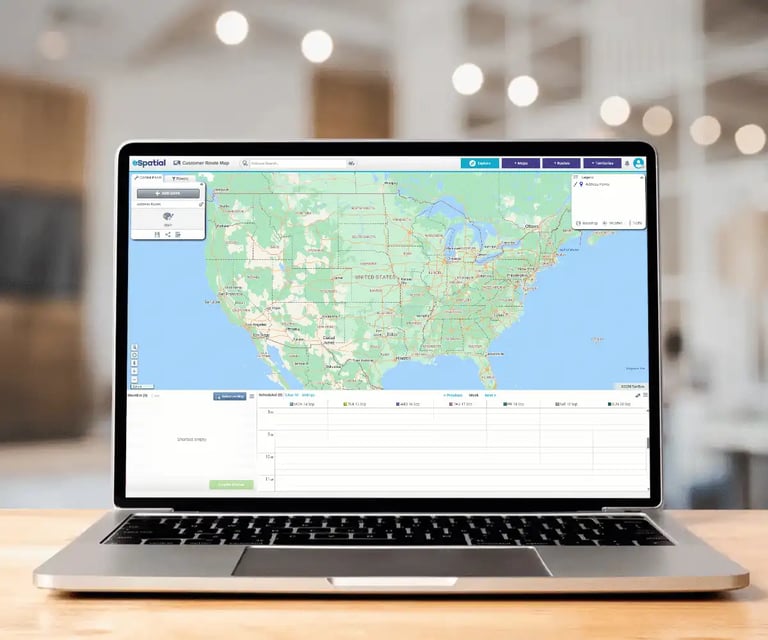
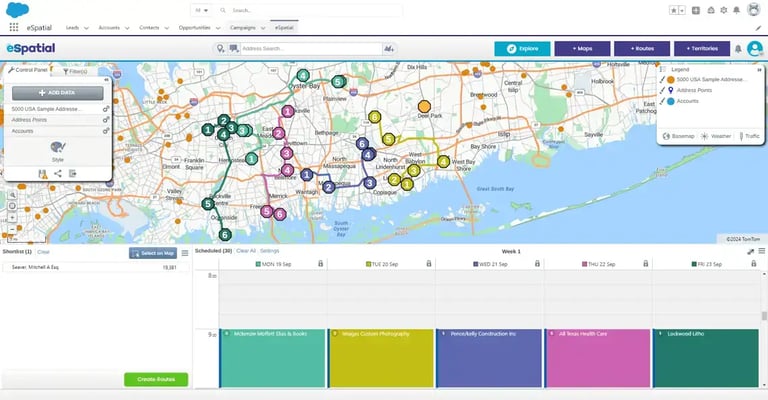
eSpatial provides seamless two-way integration with Salesforce, automatically pulling account locations and pushing optimized routes to rep devices. Post-visit notes and activity updates logged on mobile sync directly back to Salesforce objects, keeping pipeline records accurate without manual evening data entry.
How Does Two-Way Salesforce CRM Synchronization Eliminate Post-Visit Administrative Work?
Tool fatigue and manual data re-keying slow field reps down. eSpatial integrates directly with Salesforce, pulling live account addresses and deal priorities straight onto interactive map layers.
Field reps access optimized routes on smartphones or tablets, view client history before walking into meetings, and record visit outcomes immediately after. Two-way synchronization pushes field updates back into Salesforce in real time, keeping managers informed while saving reps hours of evening administrative work.
How Do Reps Export Optimized Routes Into Google Maps or Waze With One Click?
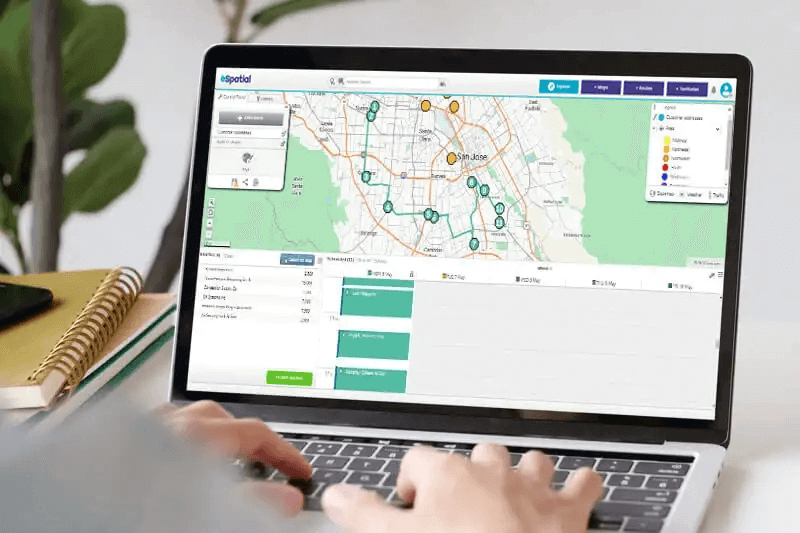
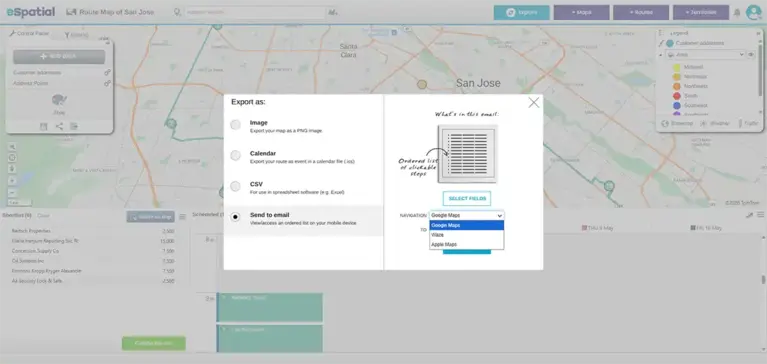
Navigating complex multi-stop sales itineraries should be frictionless. Once eSpatial sequences the optimal travel path, reps can export turn-by-turn directions directly to Google Maps or Waze with a single click.
Reps get real-time traffic updates and familiar voice navigation on their preferred navigation app while maintaining the precise stop sequence generated in eSpatial. This seamless handoff between planning and driving keeps field reps on schedule throughout the day.
How Do Field Sales Reps Adapt Routes
In Real Time When Meetings Cancel?
Field representatives adapt to mid-day schedule changes using eSpatial’s mobile dynamic re-optimization. When a customer cancels, reps can use the lasso tool or list selection to spot nearby prospects, fill schedule gaps, and instantly recalculate the fastest driving path on mobile devices.

What Steps Should Reps Take When a Field Appointment Cancels Mid-Day?
Canceled appointments leave field representatives with unexpected downtime, turning planned sales trips into wasted travel expenses. Rather than sitting in a parking lot or driving back to the office, reps can adjust their itinerary directly from their smartphone or tablet.
Reps simply open their eSpatial mobile map to view nearby accounts, use the interactive lasso tool or account list to select replacement stops, and slot in last-minute meetings. The platform automatically recalculates the most efficient path to the next deal, keeping the field day productive.

How Does Mobile Route Re-Optimization Prevent Wasted Windshield Time?
Static itineraries fail when real-world schedules shift. Dynamic re-optimization keeps field teams in front of prospective buyers rather than stranded in limbo.
By enabling field reps to re-optimize routes on the fly, eSpatial turns schedule gaps into fresh opportunity touches. Reps maintain momentum throughout the day, ensuring unexpected cancellations never derail quota goals.
How Does Route Planning Integrate With
Territory Management to Balance Workloads?
Route planning integrates with territory management by aligning travel paths with clear geographic boundaries and account distribution. Combining territory mapping with intelligent routing ensures equitable workload distribution across sales teams, preventing rep burnout and guaranteeing consistent coverage across all assigned markets.

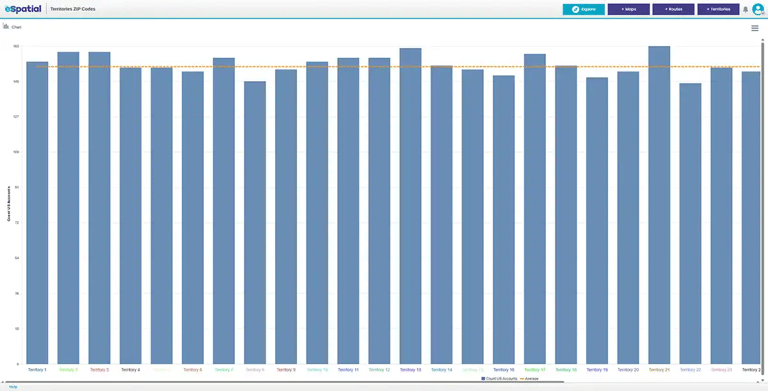
How Does Workload Balancing Prevent Rep Burnout and Reduce Turnover?
Unbalanced territories force some representatives to spend double the time on the road while others sit in dense, highly accessible markets. This structural imbalance causes travel fatigue, unequal earning potential, and heightened turnover among field sales staff.
By linking route planning directly to eSpatial's territory alignment capabilities, sales managers ensure travel requirements and meeting density are distributed fairly across the team. Balanced workloads keep representatives energized, focused on selling, and satisfied in their roles.

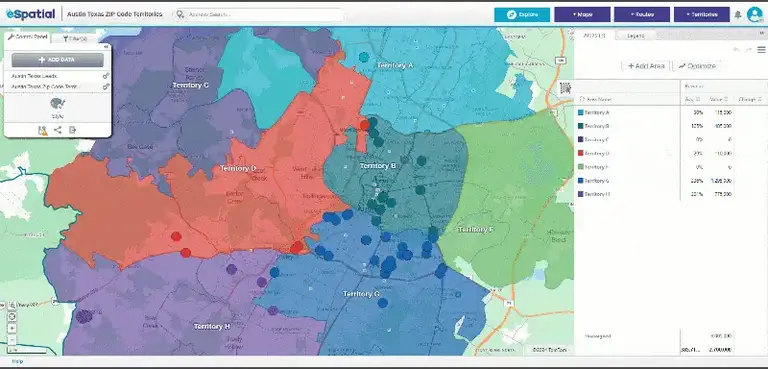
How Do Balanced Routes Support Equitable Pipeline Potential Across All Territories?
When territories are built purely on geography without accounting for drive time or account density, sales coverage becomes fragmented. Reps with sprawling territories end up cherry-picking accounts, leaving key prospects untouched due to travel constraints.
eSpatial gives leaders full visibility into how routes operate within defined territory boundaries. Managers can visualize account density alongside calculated drive times to ensure every field representative has equal access to high-potential opportunities and reachable targets.